
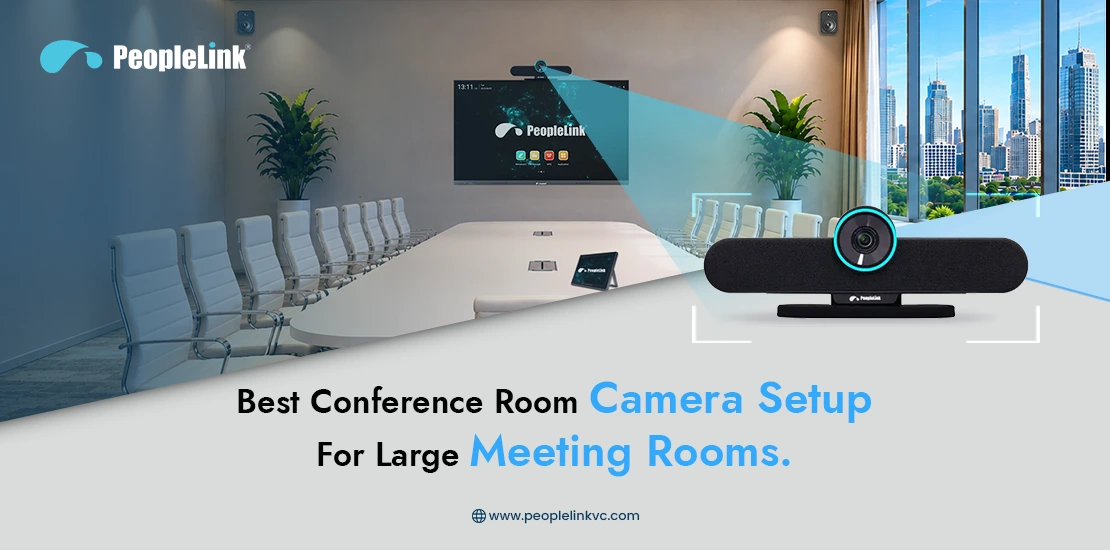
The modern corporate landscape has fundamentally shifted. Hybrid work is no longer a temporary adjustment; it is an organizational standard. As enterprises transition to permanent hybrid models, the boardrooms and large meeting spaces that once hosted purely in-person discussions have become the hubs of global collaboration.
However, running a seamless hybrid meeting in a large room is vastly different from setting up a huddle space. When a meeting room spans over 30 feet and hosts 20 or more participants, standard plug-and-play video bars fall short. Remote participants end up looking at a distant, unengaging view of a long table, struggling to hear who is speaking or see facial expressions. This disconnect directly harms engagement, stalls decision-making, and impacts organizational productivity.
Better we can use this: Creating an equal experience for both remote and in-room participants requires a purpose-built conference room camera setup. This comprehensive guide explores the architectural, technical, and strategic elements required to deploy an enterprise-grade video conferencing environment that bridges the gap between physical and virtual participants.
Why Large Meeting Rooms Need Specialized Camera Setups
Deploying video conferencing infrastructure in an expansive environment presents unique spatial and technical challenges. A standard wide-angle lens that excels in a small huddle space will fail in a 25-person boardroom.Large meeting spaces demand specialized hardware and intelligent configurations for several critical reasons:
Coverage Challenges
Large rooms possess significant depth and width. A fixed camera cannot capture participants seated at the far end of a 30-foot table without inducing a “bowling alley” effect, where those furthest from the camera appear microscopic and disengaged. Specialized setups utilize powerful optical zoom and multi-camera configurations to ensure every seat is covered with equal clarity.
Visibility and Detail
In executive sessions, board meetings, and high-stakes negotiations, non-verbal cues are vital. A low-resolution or digital-zoom camera degrades image quality when focusing on distant participants. Enterprise-grade setups preserve facial expressions, body language, and physical presentation materials with uncompromised clarity.
Audio Pickup Limitations
Video is only half the equation. In large spaces, sound levels decrease rapidly over distance. Without specialized, strategically placed microphone arrays and advanced digital signal processing (DSP), the voices of participants at the back of the room become muffled or lost entirely amidst ambient room noise.
Remote Participant Engagement
Meeting equity is a key measure of a successful hybrid meeting room solution.. If remote attendees feel like passive observers looking through a peephole, collaboration suffers. A sophisticated camera setup dynamically adjusts to focus on active speakers, making remote participants feel like they have a seat at the physical table.
Common Challenges in Large Conference Rooms
Designing a meeting room camera system for scale requires addressing several environmental and acoustic variables that are inherently present in larger architectural layouts.- Limited Camera Field of View (FoV): A camera with too narrow a field of view cuts off participants sitting close to the front corners of the room. Conversely, a lens that is too wide distorts the edges of the frame and pushes the back of the room even further away.
- Managing Multiple Speakers: In dynamic discussions, the conversation bounces rapidly across the room. A static camera setup cannot keep pace, leaving remote viewers disoriented as to who is currently talking.
- Uneven Lighting: Large rooms often feature architectural elements like expansive windows, glass partitions, and varied overhead fixtures. This creates contrasting zones of harsh back-lighting and deep shadows, which can blind standard camera sensors.
- Room Acoustics: Hard surfaces—such as glass walls, polished tables, and uncarpeted floors—generate significant echo and reverberation. This degrades audio intelligibility for virtual attendees unless managed by dedicated conference room audio solutions.
- Remote Collaboration Difficulties: When physical content, like whiteboards or printed schemas, is introduced, standard cameras lack the capability to isolate, enhance, and stream that content clearly to remote feeds.
Essential Components of an Effective Large Meeting Room Setup
An enterprise-ready large room video conferencing ecosystem relies on a synergy of hardware, software, and processing intelligence. To build an optimal environment, several core components are required.PTZ Cameras
Pan-Tilt-Zoom (PTZ conference camera) units are the foundation of large room designs. Unlike fixed lenses, PTZ cameras feature mechanical components that allow them to sweep across a room, tilt up or down, and optically magnify distant subjects without degrading image resolution. For large rooms, high-quality optical zoom (12x to 20x) is essential to preserve pixel density over long distances.
AI-Powered Speaker Tracking
Modern AI-powered conference room camera systems eliminate the need for manual remote control operation. Leveraging embedded machine learning algorithms, these cameras coordinate with microphone arrays to detect the exact spatial coordinate of an active speaker, smoothly panning and zooming to frame them automatically (speaker tracking technology).
Ceiling and Table Microphones
To match superior video with flawless audio, large rooms deploy distributed microphone networks.
- Tabletop Microphones: Positioned down the center of long conference tables to capture close-range vocals while offering accessible mute buttons for executives.
- Ceiling Microphone Arrays: Positioned overhead to keep tables clear of clutter. These arrays utilize advanced software to map the architectural footprint of the room, creating invisible “pickup zones” that capture voices uniformly while ignoring HVAC and ambient noise.
Professional Audio Processing
A dedicated Digital Signal Processor (DSP) acts as the brain of the audio infrastructure. It manages acoustic echo cancellation (AEC), noise suppression, and automatic gain control, ensuring that whether a participant speaks softly from the back corner or loudly from the head of the table, their voice is delivered to remote listeners at a consistent, crystal-clear volume.
Large Displays and Dual-Screen Setups
To maintain a natural cadence, local participants need to see both presentation content and remote colleagues simultaneously. A dual-display layout—or an ultra-wide 21:9 screen—allows for dedicated real estate: one screen displays life-sized video feeds of remote participants, while the second hosts shared presentations, documents, or whiteboards.
Conferencing Software Integration
The physical hardware must natively integrate with leading enterprise video conferencing solutions such as Zoom Rooms, Microsoft Teams Rooms, and Google Meet. Native integration ensures stable firmware performance, one-touch join capabilities, and centralized remote management for IT administrators.
Best Conference Room Camera Setup Based on Room Size
Different architectural scales require distinct AV blueprints. Below are the recommended deployment strategies categorized by room dimension and capacity.1. Medium-to-Large Meeting Rooms (10–15 Participants)
- Dimensions: Roughly $15 \times 20 \text{ feet}$ to $20 \times 25 \text{ feet}$.
- Camera Choice: A single 4K PTZ camera with a 12x optical zoom and integrated auto-framing cameras capability.
- Audio Setup: One or two daisy-chained tabletop beamforming microphone pods, or a single advanced ceiling microphone array centered over the main table.
- Display: A single 75-inch to 85-inch 4K commercial display, or a modest dual-65-inch setup.
2. Large Boardrooms (15–30 Participants)
- Dimensions: Roughly $20 \times 30 \text{ feet}$ to $25 \times 40 \text{ feet}$.
- Camera Choice: A dual-camera or multi-camera system. The primary camera is a 4K PTZ with 20x optical zoom focused on the far end of the room, while a secondary wide-angle intelligent camera sits beneath the screen to handle room analytics and wide group framing.
- Audio Setup: An integrated ecosystem of multiple ceiling-mounted beamforming arrays combined with a dedicated hardware DSP to handle multi-zone echo cancellation.
- Display: Dual 85-inch commercial displays arranged side-by-side to separate video participants from high-resolution content streams.
3. Executive Conference Rooms (20–40 Participants)
- Dimensions: Expansive U-shaped, horseshoe, or long rectangular layouts up to $50 \text{ feet}$ deep.
- Camera Choice: A multi-camera cluster configured with intelligent switching software. As the active speaker changes across the U-shaped layout, the system automatically cuts between cameras to provide the optimal profile view, avoiding awkward side-angles.
- Audio Setup: Flush-mounted tabletop boundary microphones for every two participants, paired with local sound reinforcement (mix-minus audio systems) so participants on opposite ends of the physical room can hear each other clearly.
- Display: A high-definition, fine-pitch Direct View LED (dvLED) video wall, allowing content and multiple remote galleries to be scaled dynamically on a singular massive canvas.
4. Training Rooms and Auditoriums (50+ Participants)
- Dimensions: Large tiered spaces, lecture halls, or divisible multi-purpose rooms.
- Camera Choice: A multi-camera deployment featuring dedicated presenter-tracking PTZ cameras at the back of the room (utilizing AI to track an instructor moving across a stage) combined with audience-facing cameras to capture Q&A sessions.
- Audio Setup: Wireless lavalier or gooseneck microphones for the main presenters, combined with overhead ceiling arrays set up with gated zones to isolate audience inquiries.
- Display: Massive overhead projection installations or large modular dvLED walls visible from any vantage point in the venue.
Room Setup Recommendations At-A-Glance :
| Room Type | Participant Capacity | Camera Type | Audio Infrastructure | Display Strategy |
|---|---|---|---|---|
| Medium-to-Large | 10–15 | 4K 12x PTZ with Auto-Framing | 1–2 Tabletop Pods / Single Ceiling Array | Single 85″ or Dual 65″ |
| Large Boardroom | 15–30 | Dual-Camera Setup (4K 20x PTZ + Wide AI Cam) | Multiple Ceiling Beamforming Arrays + DSP | Dual 85″ Displays |
| Executive Room | 20–40 | Multi-Camera Cluster with Auto-Switching | Flush Tabletop Microphones + Mix-Minus System | Fine-Pitch dvLED Video Wall |
| Training / Auditorium | 50+ | Presenter Tracking PTZ + Audience Cams | Wireless Mics + Gated Ceiling Arrays | Modular dvLED Wall / Dual Projection |
Key Features to Look for in a Modern Conference Room Camera
When evaluating hardware for your boardroom camera setup, focus on technical specifications that directly impact user experience and deployment longevity.- True 4K Resolution & High-Quality Optics: Ensure the camera features a premium glass lens and a high-grade CMOS sensor. Resolution alone isn’t enough; the quality of the glass determines how well light is captured in challenging environments.
- True Optical Zoom vs. Digital Zoom: Digital zoom crops pixels, resulting in grainy, pixelated images when framing a subject 25 feet away. Optical zoom physically adjusts the internal lenses, maintaining full image resolution and crisp detail at maximum magnification.
- Advanced AI Tracking & Framing Processing: Look for cameras that offer hardware-level AI processing capable of executing seamless auto-framing, group framing, and real-time speaker tracking without relying on external computer processing.
- Multi-Camera Synchronicity and Scalability: The system architecture should support the addition of peripheral cameras as organizational needs evolve, utilizing standard network topology (IP/PoE) for ease of installation.
- Cross-Platform Universal Compatibility: Hardware should offer plug-and-play operation via standard USB interfaces, while also supporting direct network streaming and full compatibility with major software ecosystems to prevent platform lock-in.
How AI Is Transforming Conference Room Experiences
Artificial Intelligence has transformed conference room peripherals from passive hardware into proactive, intelligent tools that actively optimize the hybrid collaboration environment.Intelligent Speaker Tracking
By combining real-time audio triangulation with facial and silhouette recognition, modern systems instantly identify who is speaking. Instead of jarring cuts, the camera executes smooth, professional panning adjustments to center the speaker, delivering a broadcast-quality production automatically.
Intelligent Group Framing
Instead of leaving vast areas of empty space or vacant chairs in the frame, AI algorithms continuously scan the room geometry to automatically adjust the crop. If three people leave the room, the camera adapts to re-center and optimize the frame around the remaining participants.
Production-Grade Cinematic Switching
In complex, multi-camera large rooms, embedded AI acts as an automated director. It cross-references audio feeds and visual data to determine the most logical camera angle to display—switching to a wide shot when the whole room is laughing, or cutting to a tight profile when an individual is presenting data.
Best Practices for Optimizing Large Meeting Room Performance
Even the most advanced hardware cannot overcome a fundamentally flawed environment. To maximize your investment, your AV deployment strategy should follow these industry best practices.Camera Placement Recommendations
Position the primary camera at eye level, ideally between or directly beneath the main displays. If a camera is mounted too high on a wall, remote participants spend the meeting looking down at the tops of attendees’ heads, breaking the illusion of natural eye contact.
Microphone Positioning & Room Diagnostics
Map out dead zones before securing hardware. Ensure table pods or ceiling beamforming zones are mapped to cover every seat uniformly. Keep microphonic hardware away from direct structural vibrations, such as projector mounts or ceiling HVAC vents.
Lighting Optimization
Avoid placing cameras directly opposite large, uncovered windows to prevent severe silhouetting. Utilize balanced, indirect LED architectural lighting with a color temperature around 4000K to provide clean, natural skin tones across the entire table.
Acoustic Architecture
Incorporate sound-absorbing materials into the room’s interior design. Acoustic wall panels, heavy drapes, carpet tiles, and upholstered furniture significantly reduce reverberation time, turning a chaotic, echo-prone room into a pristine recording environment.
Network and Bandwidth Requirements
Large-room AV installations frequently handle multiple 4K video feeds and uncompressed audio channels simultaneously.
IT Infrastructure Note: Ensure your local network topology allocates dedicated VLANs for AV-over-IP traffic, and configure Quality of Service (QoS) protocols on enterprise switches to prioritize real-time video and audio packets, preventing packet drop and latency.
IT Checklist for Large Room Deployments
- Verify that room illumination provides a minimum of 500 lux across all seating areas.
- Conduct an acoustic sweep to ensure room reverberation ($RT_{60}$) stays below 0.6 seconds.
- Allocate dedicated high-speed PoE+ network ports for all IP-enabled cameras and microphones.
- Establish automated firmware upgrade windows within your centralized management console to keep devices secure.
- Validate that display heights conform to standard ergonomic sightlines for the furthest seated participants.
Why Organizations Choose PeopleLink for Large Meeting Rooms
Designing a reliable, high-performance collaboration environment for expansive corporate, educational, or governmental spaces requires more than off-the-shelf hardware. It demands a holistic approach backed by enterprise AV expertise.Organizations globally trust PeopleLink to engineer and deploy their most critical communication spaces. PeopleLink’s portfolio of enterprise video conferencing solutions is purpose-built to address the complexities of large-scale architecture:
- Next-Generation AI PTZ Equipment: PeopleLink’s high-definition PTZ lineup integrates advanced optical zoom with fast, smooth, and silent mechanical movement, driven by onboard tracking engines that ensure zero lag when capturing active speakers.
- Comprehensive AV Integration Expertise: Beyond individual devices, PeopleLink designs cohesive ecosystems where cameras, multi-zone microphones, digital signal processors, and switching fabrics operate as a single, unified solution.
- Scalable Architecture: Built on open standards, PeopleLink solutions scale alongside your enterprise. Whether upgrading a single executive boardroom or standardizing video collaboration infrastructure across a global multi-site campus, the architecture remains consistent and manageable.
- Centralized Enterprise Management: PeopleLink platforms give IT administrators comprehensive visibility into their global meeting footprint, enabling remote configuration, usage analytics, and proactive system diagnostic monitoring from a single dashboard.
Future Trends in Enterprise Meeting Rooms
As we look toward the future of enterprise workspaces, several key innovations are shaping the next generation of smart meeting environments:- Intelligent Spatial Audio Ecosystems: Future rooms will increasingly combine multi-directional audio with video feeds to create realistic spatial soundscapes. Remote participants will hear audio originating from the precise direction of the person speaking relative to the room, creating an immersive, lifelike experience.
- Advanced Workspace and Environmental Analytics: Integrated sensors within room hardware will capture more than just video. They will track room utilization, real-time occupancy rates, ambient air quality, and temperature variations, giving facilities managers the data needed to optimize real estate efficiency.
- Zero-Touch Automated Room Orchestration: Utilizing proximity beacons and integration with enterprise calendars, future spaces will automatically configure themselves the moment a team enters. The room will load presentation profiles, adjust lighting presets, and initiate video connections without requiring manual intervention.
Conclusion
Investing in the right conference room camera setup for large meeting rooms is a foundational step in building a modern, productive hybrid workplace. By moving past one-size-fits-all hardware and implementing a purpose-built mix of high-magnification PTZ cameras, intelligent AI-driven tracking, and professional acoustic architecture, enterprises can eliminate the geographic divide between teams.Providing crystal-clear visibility and audio intelligibility ensures that every participant, regardless of their physical location, can contribute with equal impact. As you plan your next-generation collaboration spaces, partnering with a dedicated expert ensures your technology investment scales seamlessly with your operational needs.
Are you ready to transform your organization’s large meeting spaces into high-performance hybrid collaboration hubs? Contact the enterprise AV experts at PeopleLink today to design a tailored, future-proof video conferencing solution for your boardroom.