
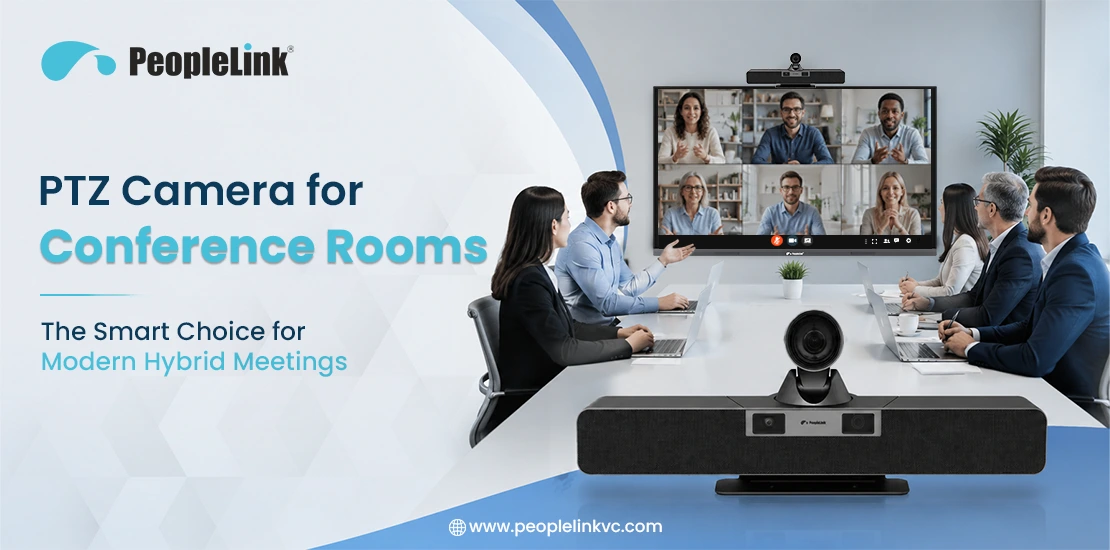
The way teams meet has shifted fundamentally. In most organizations, a conference room is no longer just a physical space where local employees gather in a conference room; it is a communication hub connecting in-person staff with remote colleagues, clients, and partners distributed across different time zones.
Hybrid work environments present a key challenge: standard webcams and static cameras often fail to connect remote and in-person participants effectively. Remote attendees see indistinct faces and miss body language, while local presenters feel restricted to one spot to remain visible.
To address these challenges, many organizations are adopting Pan-Tilt-Zoom (PTZ) cameras. PTZ cameras help everyone stay visible during meetings, whether they’re sitting in the room or joining remotely, creating a more equitable and professional meeting experience.
What Is a PTZ Camera?
A PTZ camera is a smart conference room camera capable of directional and zoom control. Unlike standard fixed lenses that capture a static field of view, a PTZ camera uses internalized motors to physically move its lens assembly left-to-right (pan), up-and-down (tilt), and adjust its focal length to bring subjects closer or widen the shot (zoom).Key Hardware Components
- Mechanical Drive Motors: High-precision, quiet step motors that execute smooth panning and tilting maneuvers without introducing audio noise into the room’s microphones.
- Optical Zoom Glass: A multi-element glass lens array that physically moves to magnify images without losing pixel density or compromising video quality.
- Image Sensors: Commercial-grade CMOS sensors designed to capture high-definition or ultra-high-definition video feed.
- Control Interfaces: Built-in electronics that accept command protocols via USB, RS-232, RS-485, or Ethernet (IP control).
The Technical Difference: PTZ vs. Fixed Cameras
Standard fixed cameras rely entirely on digital zoom to crop into an image. When you crop a digital image, you degrade its resolution, often resulting in a pixelated, blurry video stream for remote viewers. A conference room PTZ camera uses true optical zoom. By adjusting the physical glass elements inside the lens, the camera maintains full native resolution—whether framing the entire boardroom or tightly cropping in on a presenter standing 12 feet away.
Why Conference Rooms Need PTZ Cameras
While any camera may seem sufficient in an empty room, static cameras reveal their limitations during actual meetings. Speakers at the far end of a large table often appear as small, unrecognizable figures to remote participants.PTZ cameras solve this problem by providing flexible room coverage. For example, during a strategy session, The camera can automatically focus on a presenter at the whiteboard or quickly reposition to focus on an executive asking a question.
How PTZ Cameras Improve Everyday Meetings
- Complete Spatial Coverage: The ability to provide wide room coverage with extensive pan and tilt capabilities eliminates blind spots from the room design.
- Freedom of Movement for Presenters: Many presenters prefer walking around while explaining ideas instead of standing in one place. PTZ cameras make this possible by automatically keeping the presenter in view.
- Better Visibility for Remote Participants: By bringing distant participants face-to-face via crisp close-ups, you reduce meeting fatigue and improve focus during long strategic discussions.
Key Features to Look for in a PTZ Camera
Selecting the right hardware requires focusing on specifications that affect daily performance, rather than relying on marketing claims.- Optical Zoom vs. Digital Zoom: Focus primarily on the optical zoom rating (10X, 12X, 20X, 30X). A 12X optical zoom is generally the sweet spot for medium-to-large corporate conference rooms, allowing clean capture of text on a whiteboard from across the room.
- Pan and Tilt Range and Speed: Look for quiet operation and flexible movement ranges (e.g., a pan range of 170° and tilt speeds that can be adjusted dynamically). Smooth, variable-speed motion prevents jerky video transitions during live adjustments.
- Resolution and Image Quality: While higher video resolutions are available in specialized applications, 4K video quality or high-performance 1080p at 60 frames per second (fps) is ideal for enterprise video conferencing. High fps numbers prevent motion blur when a speaker gestures frequently.
- Low-Light Performance: Many corporate spaces suffer from poor lighting or uneven sunlight from large exterior windows. A camera equipped with a high-grade CMOS sensor and advanced Wide Dynamic Range (WDR) can effectively balance harsh backlighting and dark corners.
- Connectivity Options: Modern installations rely heavily on USB connectivity (Plug-and-Play USB 3.0) for direct connection to room PCs or laptops. However, dual-connectivity models that offer Network connectivity (IP streaming via RJ45) and HDMI/SDI outputs provide the system flexibility required by internal IT teams.
- Preset Positions: The ability to save specific coordinates (e.g., Preset 1: Podium, Preset 2: Main Table, Preset 3: Whiteboard) lets users switch the camera view with a single button press on a remote control or touch panel.
AI Features in Modern PTZ Cameras
The integration of artificial intelligence has turned the traditional PTZ conference camera from a manually operated tool into an automated meeting assistant. IT departments no longer need to rely on users finding a remote control to adjust the view.Auto-Framing
Using intelligent participant detection, the camera estimates the number of people in the room and instantly adjusts its pan, tilt, and zoom to frame the group perfectly. If two late arrivals enter the room and sit down, the camera smoothly widens its shot to include them without human intervention.
Speaker Tracking
By combining built-in beamforming microphone arrays or integrating with external room audio processors, an AI-powered PTZ camera identifies the exact physical location of the person speaking. It then automatically adjust the camera to capture a medium close-up of that specific individual, switching views naturally as the conversation moves around the room.
Presenter Tracking
Ideal for training rooms and corporate auditoriums, this feature allows the camera to lock onto a single subject—like a keynote speaker or trainer—and track them smoothly as they pace across a stage or presentation area, mimicking the workflow of a professional camera operator.
Why Businesses Are Choosing PTZ Cameras
Investing in professional-grade camera hardware provides both operational and cultural benefits for your organization:- Reduced Meeting Isolation: Remote workers often report feeling like passive observers rather than active contributors. High-definition close-ups convey micro-expressions, rebuilding the missing body language link essential for trust and clear communication.
- Operational Simplicity: Automated AI features mean employees simply walk into a room, launch their meeting platform, and focus on their work agenda rather than wrestling with camera angles or software control panels.
- Resource Optimization: A single, well-placed PTZ camera can replace multiple fixed cameras, minimizing hardware overhead, reducing points of failure, and simplifying cable routing for the AV installation team.
PTZ Cameras for Different Conference Room Sizes: The PeopleLink Portfolio
A common mistake is selecting the same camera model for every space. Different environments require specific optical features. Enterprise solutions like PeopleLink’s product lineup illustrate how hardware can be matched to room requirements:Small Meeting Rooms
For small focus spaces or huddle environments (2-5 people), the primary engineering focus is capturing a wide-angle field of view without warping the edges of the frame. Because participants sit very close to the screen, compact options like the PeopleLink iCam FHD 1080p 10x (H.264) deliver the precise mechanical agility needed to pan across short distances while maintaining reliable clarity through efficient compression.
Medium Conference Rooms
Medium spaces hosting 6-12 people require a balance between wide close-range coverage and deep optical zoom. Hardware options like the Elite FHD Pro Series 12X/Gen2.1 and the PeopleLink Elite 4K 12x provide a native 12X optical lens array. This allows the system to frame the entire team smoothly or zoom tightly onto individuals at the far end of the room without pixel degradation.
Large Boardrooms
Large corporate boardrooms (12-25+ participants) introduce complex layout issues. To preserve clarity across deep viewing distances, enterprise configurations require ultra-high-definition sensors combined with reliable mechanical enclosures. The Elite 4K Premium Series 12X and 20X models use enhanced dynamic ranges to resolve fine structural details across longer tables.
Training Rooms, Auditoriums, and Seminar Spaces
Large-scale learning facilities require aggressive optical magnification and rapid tracking responsiveness. The PeopleLink Elite XL Series 30x provides a powerful 30X optical zoom lens design, enabling clear capture of presentation surfaces or presenters from the very back of a lecture hall. Specialized variations, including the PeopleLink 4K Telepresence camera and the PeopleLink 4K 20X Telehealth Cart Camera, highlight how PTZ designs scale to meet advanced tracking and medical cart configuration demands.
PTZ Camera vs. Fixed Conference Room Camera
To evaluate long-term value, it helps to contrast PTZ systems directly against standard fixed wide-angle lenses across critical installation categories.Comparison Table
| Feature Category | PTZ Conference Camera | Fixed Conference Room Camera |
|---|---|---|
| Coverage Area | High dynamic range; physical pan (300°+) and tilt (90°+). | Static; constrained entirely by the physical Field of View (FOV) spec. |
| Flexibility | High; adapts instantly to shifting group sizes and presenter movements. | Low; room furniture must be configured around the camera’s locked view. |
| Zoom Capability | True optical zoom; preserves clean image clarity at deep distances. | Digital zoom only; introduces pixelation and grain when enlarged. |
| Installation Setup | Requires stable wall/ceiling mounts and structured cable management. | Simple plug-and-play; often sits directly on a table or display bezel. |
| User Experience | Engaging and cinematic; brings remote users directly into the space. | Flat, distant “bowling alley” style views of long tables. |
| Long-Term Value | High lifecycle value; easily adapts to changing room reconfigurations. | Low scalability; must be replaced if the room footprint expands. |
Common Conference Room Challenges and How PTZ Cameras Help
Challenge 1: The “Bowling Alley” Effect
In long, narrow conference rooms with a fixed camera, people sitting at the far end of the table appear incredibly small, while those nearest the camera are disproportionately large.
- The PTZ Fix: The camera can use its optical zoom to compress the perceived depth of the room or jump to dedicated presets, framing far-end speakers in clear, individual profile shots.
Challenge 2: The Moving Presenter
Many executives and trainers think on their feet, walking across the front of the room or stepping up to draw on a whiteboard. A fixed lens keeps them stationary.
- The PTZ Fix: Intelligent presenter tracking automatically follows the speaker’s physical path across the room, keeping them centered in the video stream without requiring a console operator.
Best Practices for PTZ Camera Installation
Even high-quality cameras can underperform if not installed correctly. Follow these integration steps to maximize your investment:- Mounting Height: Position the camera lens as close to seated participants’ eye level as possible—typically between 48 and 54 inches from the finished floor. Mounting a camera too high results in an awkward “looking down” perspective that feels unnatural to remote viewers.
- Placement relative to Displays: Mount the camera directly above or below the main room display. This ensures that when local participants look at the faces of remote colleagues on the screen, they are also looking directly into the camera, maintaining realistic eye contact.
- Lighting and Backlight Mitigation: Avoid placing the camera directly opposite large windows unless you have automated blackout shades. Intense background sunlight forces the camera iris to close, turning your in-room participants into dark silhouettes. Use diffused, forward-facing LED overhead lighting.
- Cable Management and Stability: PTZ cameras contain moving mechanical parts. Ensure the mounting bracket is anchored to a solid wall stud or structural support frame. A flimsy mount will vibrate and shake whenever the camera pans, ruining the video feed’s stability. Use high-quality, shielded USB 3.0 or Cat6 extension cabling to prevent data dropouts.
How to Choose the Right PTZ Camera for Your Conference Room
Before finalizing a procurement order, run through this practical assessment checklist with your internal IT and facilities engineering teams:- Room Dimensions & Shape: Have you measured the exact length and width of the room to calculate the minimum optical zoom factor required?
- Platform Compatibility: Is the camera hardware fully certified to work with your primary corporate Unified Communications platforms, such as Microsoft Teams and Zoom?
- Audio design: Will the camera operate as a standalone video feed alongside an existing ceiling microphone array, or do you require a system with integrated mic pod expansion capabilities?
- Control Preference: How will users adjust the camera? Do they require fully automated AI tracking, pre-configured touch-panel shortcuts, or a traditional handheld infrared remote control?
- Power & system: Does the room support Power over Ethernet (PoE) to deliver power, control, and video over a single network cable, or do you need dedicated power outlets near the camera mounting location?
What’s Next for PTZ Camera Technology?
The technology underpinning corporate meeting spaces continues to advance rapidly. We are seeing a move toward multi-camera setups in which a primary PTZ camera coordinates with smaller, fixed-lens cameras embedded in the room display. This setup allows the system to show a wide room view and a speaker close-up simultaneously, providing a richer perspective for remote participants.Furthermore, machine learning algorithms are improving quickly. Next-generation PTZ cameras do not just react to noise or movement; they use facial and contextual recognition to distinguish between an actual meeting participant and a person simply walking past an open conference room door. This level of automation ensures meetings remain focused, professional, and free from unnecessary distractions.
Conclusion
Upgrading your meeting spaces with professional PTZ cameras is an effective way to enhance hybrid collaboration. Dynamic framing, clear optical zoom, and intelligent automation help create an environment where remote and in-person team members can collaborate effectively.Evaluate your current meeting spaces, assess room dimensions, and choose a PTZ solution that fits your workflows. The resulting improvements in clarity, engagement, and productivity will be evident.