
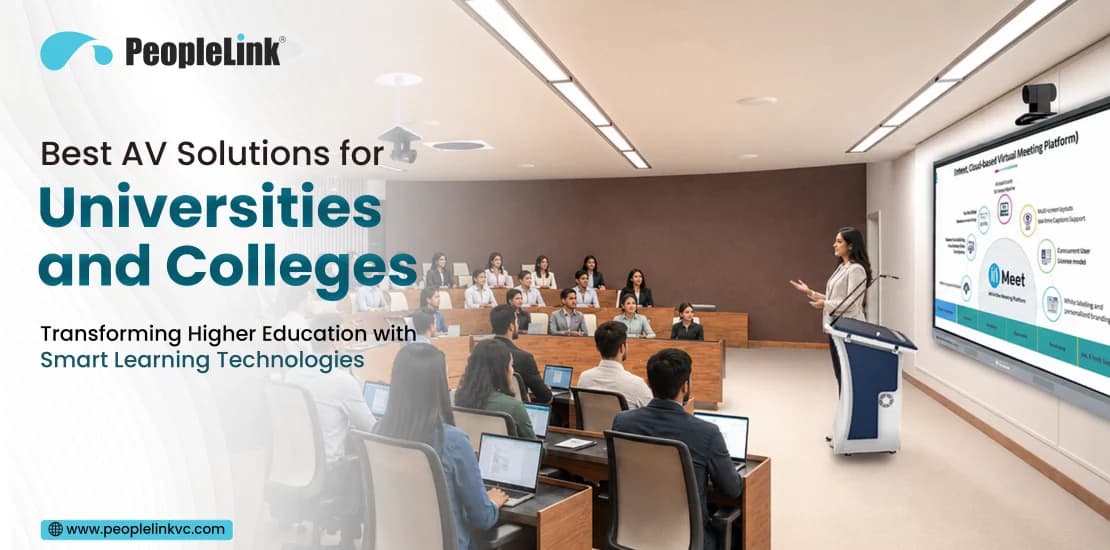
Walk into a lecture hall today and something has clearly shifted. Chalkboards and static overhead projectors are giving way to interactive displays, AI-tracking cameras, and hybrid setups that let a student in their dorm room feel like they’re sitting three rows back. The change isn’t cosmetic, it’s a response to what students now expect from a classroom.
Today’s students grew up with instant digital access built into everything. They don’t just want to sit and listen; they want to participate, pull up resources mid-discussion, and when life gets in the way of showing up in person join remotely without losing the experience. Colleges that still run on a projector and a whiteboard aren’t just behind on aesthetics. They’re structurally unable to deliver what a modern classroom needs to deliver.
That’s pushed AV investment from a “nice to have” line item to core infrastructure. Done well, it supports adaptable hybrid learning, cross-department research collaboration, and the everyday communication that keeps a large campus functioning.
Why Modern Universities Need Advanced AV Solutions
1. Hybrid Classrooms That Actually Work Both Ways
Hybrid teaching only works if the online half of the room isn’t an afterthought. With the right AV setup, a remote student can hear every question clearly and see whiteboard annotations in real time not squint at a blurry wide shot from the back of the room. That’s the difference between “attending remotely” and “watching a recording.”
2. Digital Transformation That Goes Beyond the Classroom
Modern AV systems plug directly into Canvas, Blackboard, and Moodle, which means lecture content, attendance data, and recordings flow into the LMS automatically rather than needing manual upload. Less paper, less friction, and a searchable archive that didn’t exist five years ago.
3. Engagement Isn’t Just a Buzzword It Shows Up in Retention Numbers
Passive lectures lose students. Touch-enabled displays, collaboration pods, and dynamic audio along with visually engaging materials like an AI poster – give students a reason to stay focused instead of a reason to check their phone. The research on active learning backs this up: students in active-learning environments consistently retain more and perform better academically than students in lecture-only formats.
4. Reaching Students Who Aren’t on Campus
Solid AV infrastructure lets a university offer accredited distance programs without watering down the teaching. Geography stops being a limiting factor for who can enroll.
5. Research Collaboration Across Buildings, Cities, and Countries
Modern research rarely happens in one room anymore. High-definition video conferencing lets faculty share complex visual data, co-host symposiums, and collaborate with international partners without anyone booking a flight.
Essential AV Solutions Every University Should Consider
A smart campus isn’t one product, it’s a set of components chosen for the room they’re going into. Here’s what forms the backbone of a solid university AV setup, and where each one earns its place.Interactive Displays
These are the central hub of a modern classroom. Faculty can write, annotate, draw, and manipulate digital media directly on screen mid-lecture, then save the annotated file straight to the cloud instead of losing it when the bell rings. They work well in standard classrooms and seminar rooms, but they really shine in problem-based learning labs where students are building on shared visuals together.
PTZ Cameras
Pan-Tilt-Zoom cameras give you motorized, high-optical-clarity coverage of a large room think 4K output with smooth preset positioning, useful for capturing an instructor moving across a stage or a surgeon’s hands during a demonstration. Large lecture halls, medical theaters, and university auditoriums are the natural home for these.
AI Auto-Tracking Cameras
This is where camera technology stopped needing a human operator. Facial recognition and motion tracking keep the presenter framed automatically, without accidentally panning across a row of students checking their phones. Distance-learning studios and asynchronous lecture halls benefit most, since there’s often no one available to run a camera manually anyway.
Wireless Presentation Systems
Nobody wants to watch a professor hunt for the right HDMI adapter. Wireless presentation tools let instructors and students share screens instantly from a laptop, tablet, or phone, and some systems let multiple screens display side-by-side for quick comparison. Ideal for BYOD-heavy environments like active learning classrooms and faculty meeting rooms.
Video Conferencing Solutions
Dedicated conferencing hardware integrated with Zoom, Microsoft Teams, or Google Meet bridges a local classroom with a remote guest expert or a partner institution overseas. The gap between “conference call” and “in the room” gets a lot smaller with enterprise-grade audio and video processing behind it.
Ceiling Microphones
Beamforming microphone arrays pick up clear audio from anywhere in the room without a tangle of wires on the table. They isolate voices, follow whoever’s speaking, and filter out the HVAC hum in the background a small detail that makes a huge difference in recorded lectures.
Speakerphones
For smaller spaces, a portable, plug-and-play speakerphone with echo cancellation does the job without the installation overhead of a full room system. Faculty offices and small huddle spaces are where these earn their keep.
Active LED Displays
LED walls stay bright and clear even under harsh ambient light something projectors have always struggled with. Auditoriums, campus lobbies, and athletics facilities are where the bezel-free, high-brightness build actually matters.
Lecture Capture Systems
These record audio, video, and screen content together and publish automatically to the LMS. For flipped-classroom courses or large undergraduate lectures, this turns every session into an on-demand resource without anyone hitting “upload” manually.
Digital Signage
Beyond way finding and event promotion, digital signage doubles as an emergency broadcast channel a use case that matters a lot more than it sounds until the day it’s needed.
Smart Classroom Control Systems
One touch panel to control lights, displays, audio, and screens means faculty aren’t troubleshooting three separate remotes before class starts. It also cuts down on IT support tickets and automates shutdown sequences to save energy after hours.
Recording & Streaming Solutions
For graduation ceremonies, guest lectures, or campus-wide events, dedicated streaming encoders support high-bandwidth 4K broadcasts with low latency the kind of reliability you don’t want to be testing for the first time on graduation day.
Benefits of AV Solutions in Higher Education
Put together, these systems change day-to-day life for students, faculty, and IT staff in a few concrete ways:- Students stay more engaged when the room responds to them instead of just talking at them.
- Remote and non-traditional students get real access to course content, not a diminished version of it
- Faculty spend less time fighting with technology and more time actually teaching
- Campus-wide communication including emergency alerts runs through the same infrastructure.
- Researchers collaborate globally without the friction of travel or incompatible systems
AV Applications Across University Campuses
Audio-visual technology serves distinct purposes across different areas of a university campus.| Campus Location | Primary AV Solutions Used | Core Objective / Educational Value |
|---|---|---|
| Classrooms | Interactive Displays, Wireless Presentation, Beamforming Mics | Drives interactive teaching and active student participation. |
| Lecture Halls | AI Auto Tracking Cameras, Lecture Capture, Active LED Walls | Delivers clear audio/video for large audiences and automated LMS uploads. |
| Seminar Rooms | All-In-One Video Bars, Smart Touch Panels | Facilitates focused small-group discussions and hybrid meetings. |
| Research Labs | High-Res 4K Visualizers, Ultra-HD Displays, PTZ Cameras | Captures detailed experiments and transmits high-definition media globally. |
| Libraries | Digital Wayfinding Kiosks, Quiet Study Pod Systems | Aids independent research, navigation, and group reservation management. |
| Auditoriums | Direct-View LED Walls, Digital Control Desks, Line Arrays | Supports university assemblies, theatrical shows, and large ceremonies. |
| Medical Education | High-Precision Surgical PTZ Cameras, 4K Monitors | Streams medical procedures into remote classrooms with zero latency. |
| Engineering Labs | Multi-Screen Visual Arrays, High-Bandwidth Workstations | Displays complex CAD renders, structural models, and code side-by-side. |
| Executive Boardrooms | Ceiling Microphone Arrays, Dedicated Teams/Zoom Rooms | Hosts university governance meetings and strategic administrative calls. |
Key Features to Look for When Choosing AV Solutions
Not every spec sheet matters equally. These are the ones worth actually scrutinizing:- 4K video performance: text and diagrams need to be legible from the back row, not just the front three
- AI camera capabilities: auto-framing and presenter tracking that don’t require a dedicated camera operator
- Noise cancellation via DSP: the difference between a usable recording and one full of HVAC hum
- BYOD support: works across Windows, macOS, iOS, Android, and Chrome OS without forcing software installs
- Platform compatibility: certified for Teams, Zoom, and Meet so you’re not locked into one vendor.
- Centralized remote management: IT should be able to push updates and check device health without walking to every room
- Network security: 802.1x authentication and AES encryption aren’t optional extras on a campus network
How to Choose the Right AV Partner
The hardware is half the equation. The integration partner determines whether it actually works long-term.Look for a partner who’s specifically done higher-ed deployments before the constraints of a 300-seat lecture hall are different from a corporate boardroom, and that experience shows. Beyond that, prioritize teams offering end-to-end service: site surveys, engineering, installation, cable management, and actual user training, not just a drop-off. Confirm they offer local, fast-response support, since downtime during teaching hours is a different kind of problem than downtime on a Tuesday afternoon in an office. And get the warranty and SLA terms in writing software updates, maintenance checks, and loaner units for critical rooms should all be covered, not assumed.
Future Trends in University AV Technology
A few things worth watching as AI and cloud infrastructure keep maturing:- AI-driven classrooms with real-time transcription, automated translation, and sentiment monitoring that helps instructors adjust on the fly
- AR/VR integration letting architecture, medical, and engineering students interact with 3D prototypes instead of just viewing them on a screen
- IoT-integrated automation occupancy sensors triggering lighting, temperature, and display power without anyone touching a switch
- Predictive learning analytics combining attendance, LMS activity, and engagement data to flag students who need support before they fall too far behind
- Automated cloud workflows that record, caption, and publish a lecture to the university portal within minutes of class ending
Final Thoughts and Next Steps
Upgrading campus AV isn’t just a hardware purchase it shapes how an institution teaches, how it’s perceived by prospective students, and how much friction faculty deal with every single day. The universities getting ahead of this are pairing interactive displays and automated lecture capture with intelligent cameras and centralized management, building rooms that work equally well for the student in the seat and the one logging in from three states away.Ready to modernize your campus learning spaces?
Talk to a higher education AV specialist about designing smart classroom, hybrid learning, and collaboration environments built specifically around your institution’s facilities and goals.