

Remote Patient Monitoring
Advanced healthcare technology solutions for remote patient monitoring and ICU management
Advanced healthcare technology solutions for remote patient monitoring and ICU management with HIPAA-compliant communication.
Use Case 1: Remote ICU Monitoring
The challenge hospitals face across several ICU wards, and the PeopleLink solution and benefits.
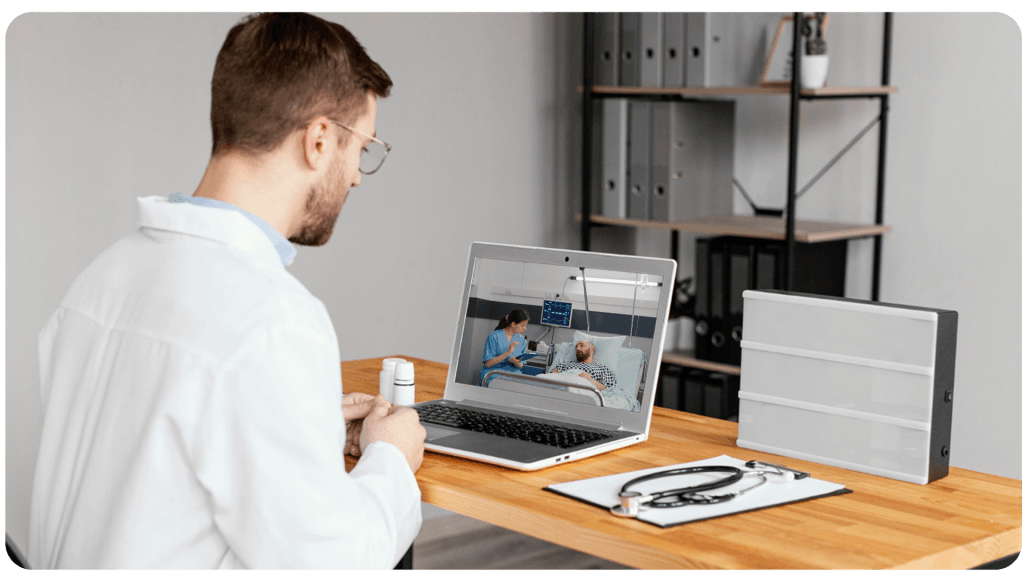
Case 1: Remote ICU Monitoring
Hospitals often have multiple ICU wards, either within the same hospital or across different branches. Providing ICU care during emergencies can be challenging due to the lack of real-time collaboration tools between bedside care staff and offsite specialist doctors.
- Centralized ICU Command Center: PeopleLink's remote ICU monitoring solution allows hospitals to establish a centralized command center, enabling doctors to monitor and manage multiple ICU wards from a single location, even across branches.
- Tele ICU Cart: Each ICU cart is equipped with integrated cameras, monitors, and audio devices, allowing real-time video collaboration, remote camera control, and direct interaction between offsite specialists and bedside care teams.
- ICU Command: Centralized ICU monitoring with real-time video/audio feeds and remote control capabilities.
- Advanced Control: Supports multiple displays, remote camera control, exclusive audio communication, and proactive monitoring of endpoint health.
- Secure Care: Ensures secure, HIPAA, compliant communication and enhanced patient care.
- Improved Efficiency: Enables quick diagnosis and timely interventions, reducing ICU mortality.
- Device Integration: Easily incorporate all vital medical devices such as ECG, X-ray, DICOM, and endoscopic outputs for real-time monitoring.
Precision Monitoring - Anytime, Anywhere
The ICU Command Center features multiple displays, integrated PTZ (Pan, Tilt, Zoom) cameras, audio devices, and endpoints, allowing doctors to monitor multiple patients simultaneously.
Models of Centralized ICU Command Solutions
Centralised, distributed and hybrid command centres, each with its display layout.

Centralized Command Center (Dual Display)
A single, high-tech command center monitors multiple ICUs across different hospital locations. This setup provides seamless real-time monitoring, enabling focused patient care while keeping an overview of multiple ICUs.
Ideal for: Large hospital networks or healthcare providers with multiple ICU units spread across different regions.
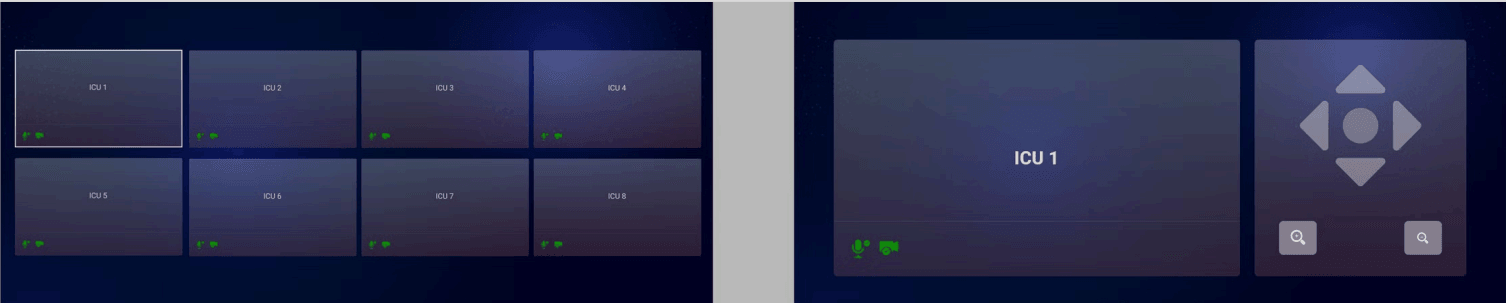
- Left Display Shows multiple ICU patients in a grid view, allowing doctors to monitor several patients at once.
- Right Display Displays a detailed full-screen view of the selected ICU for a closer look at patient conditions and equipment.

Distributed Command Center (Three Display)
Several command centers are strategically placed within different hospitals or regions, offering localized control and monitoring while maintaining collaboration with other centers.
Ideal for: Hospital networks looking to balance centralized control with local ICU care.
- Left Display Shows multiple ICU locations in grid format for simultaneous patient tracking.
- Center Display Focuses on one selected ICU, offering a detailed view of the patient and the surrounding medical environment for closer observation.
- Right Display Provides additional ICU feeds, showing more patients or real-time updates on specific patient statuses, ensuring that all critical data is visible and accessible.

Hybrid Command Center (Telepresence)
Combines both centralized and local monitoring, with a primary command center overseeing ICU operations while secondary command centers handle immediate local issues. Doctors can remotely control the PTZ camera for detailed views, with private audio communication to ensure conversations with ICU staff are secure and not overheard by others.
Ideal for: Hospitals looking for flexibility in monitoring ICUs across various departments or geographies while ensuring immediate local attention.
- Left Side (Multiple Monitors) Each monitor displays a single ICU feed, with up to 100+ screens providing full visibility across multiple locations.
- Right Display (Selected ICU Ward) Shows the selected ICU feed in high-definition with PTZ control for detailed patient monitoring.
Planning a Tele-ICU or an ICU Command Centre?
Tell us the ICU wards, beds and hospitals and we will recommend the right command centre model.
Day-to-day Operation of the ICU Command Center
Control Panel
A user-friendly interface displays a grid of ICU rooms with options for muting, starting/stopping video, and selecting specific ICU feeds for detailed control.
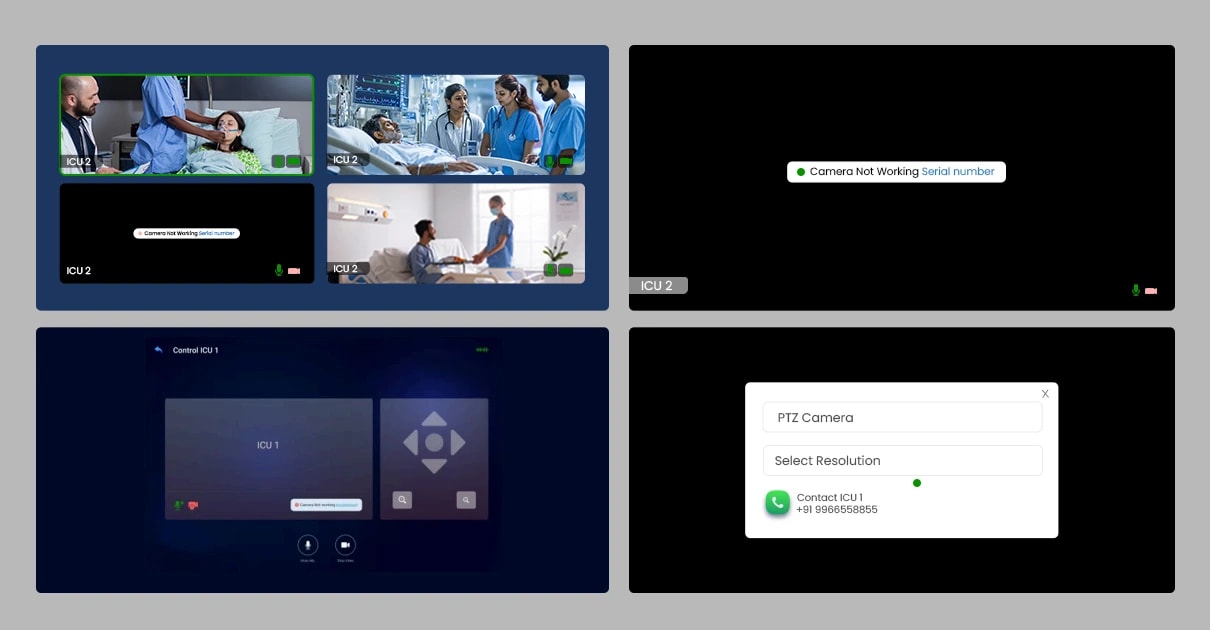
Remote Troubleshooting
In case of hardware issues (e.g., camera malfunctions), alerts appear on the affected ICU feed. The command center can remotely diagnose and resolve issues from the control panel.
Use Case 2: Tele ICU Cart at every Bed
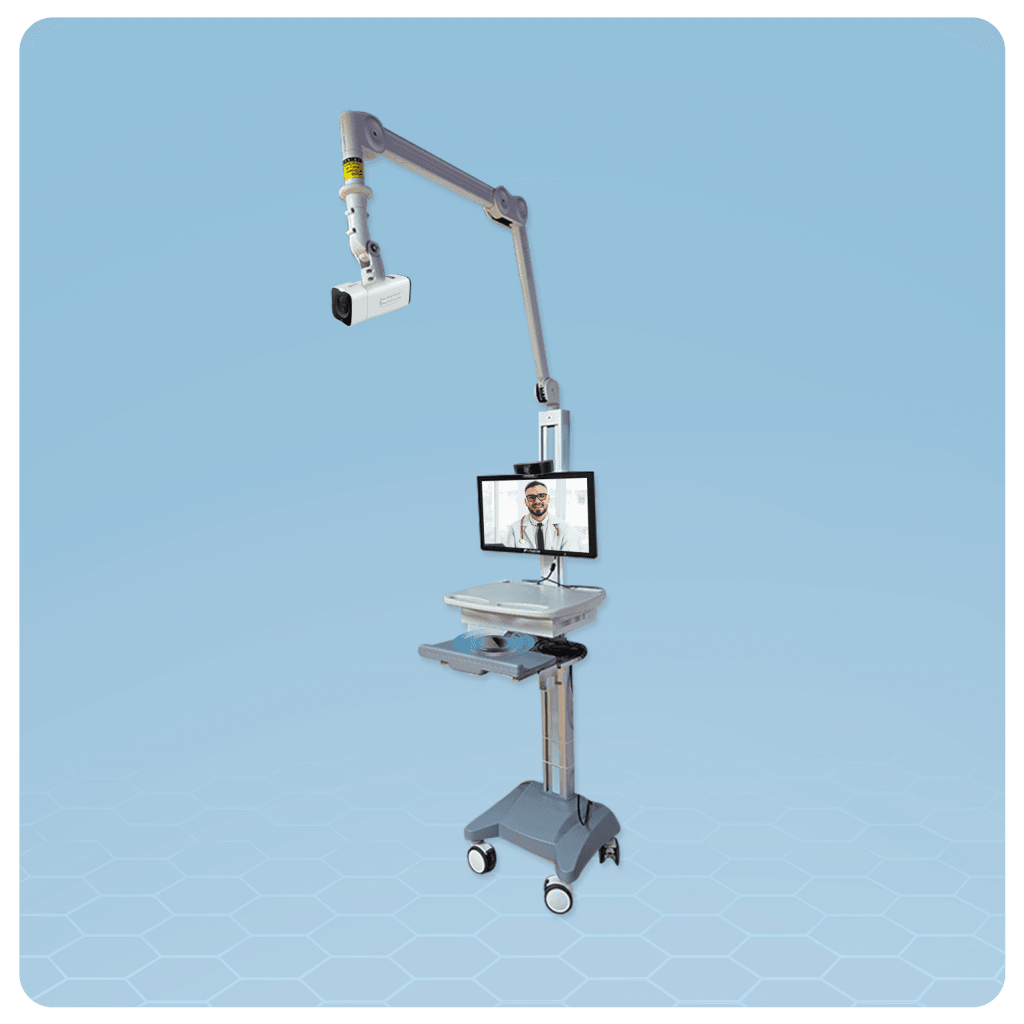
Case 2: Tele ICU Cart
In hospitals, there are often multiple ICUs with several beds. Each bed is equipped with a medical cart that includes an integrated monitor, PTZ camera, and video conferencing endpoint. Doctors from the command center or a remote location can remotely control the camera, initiate automatic video calls, and provide care to ICU patients. With voice localization, doctors can communicate with specific patients without disturbing others.
The platform integrates with medical devices such as ECG, X-ray, DICOM, and endoscopic outputs to easily view and capture medical data and vitals. Designed to give the offsite team full access to patients and bedside teams. The ICU Cart is equipped with a PTZ camera and a patient monitor, allowing the offsite team to interact with patients and monitor devices.
- Automatic Call Initiation: Doctors can remotely initiate video calls, control the camera, and manage ICU feeds without local intervention.
- Voice Localization: Ensures that only the intended patient hears the conversation, maintaining privacy and focus during consultations.
- PTZ Camera: Remotely controlled, providing high-definition video with pan, tilt, and zoom functions.
- Doctor Display: Shows real-time video of the remote doctor, ensuring clear communication and relevant patient information.
- Speaker & Microphone: Facilitates two-way communication between the doctor and ICU staff.
- Comprehensive Remote Interaction: Doctors can monitor, communicate, and provide real-time guidance to ICU staff, enhancing patient care.
Telehealth Carts
Two telehealth cart configurations with their specifications.
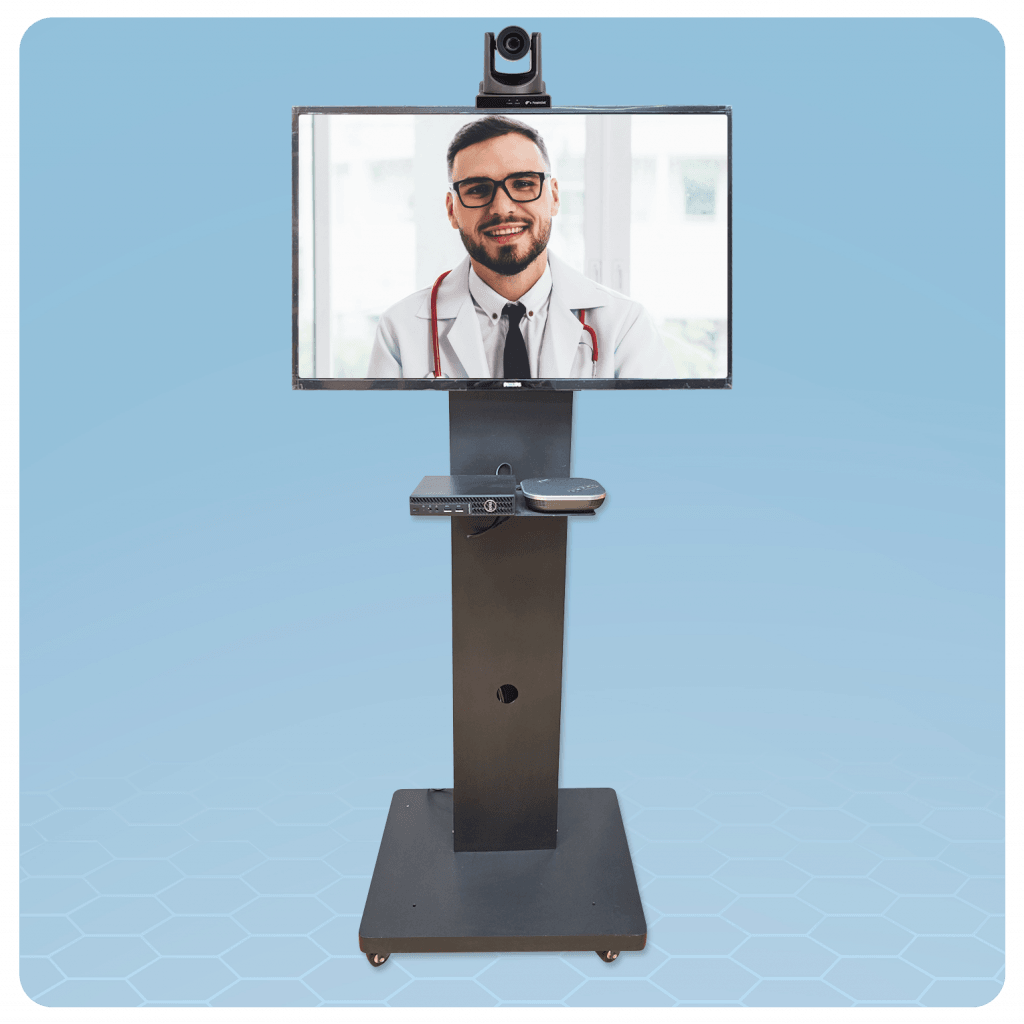
Cart 1
- Height Adjustment: 57" to 69.3"
- Desk Surface Dimensions: 25.39" × 14.37" × 0.66"
- VESA Standard: 100x100mm
- Casters: 4 (2 lockable)
- Monitor Placement: Horizontal and vertical
- Optional Accessories: CPU holder, printer shelf, basket, monitor arms for up to 5 monitors
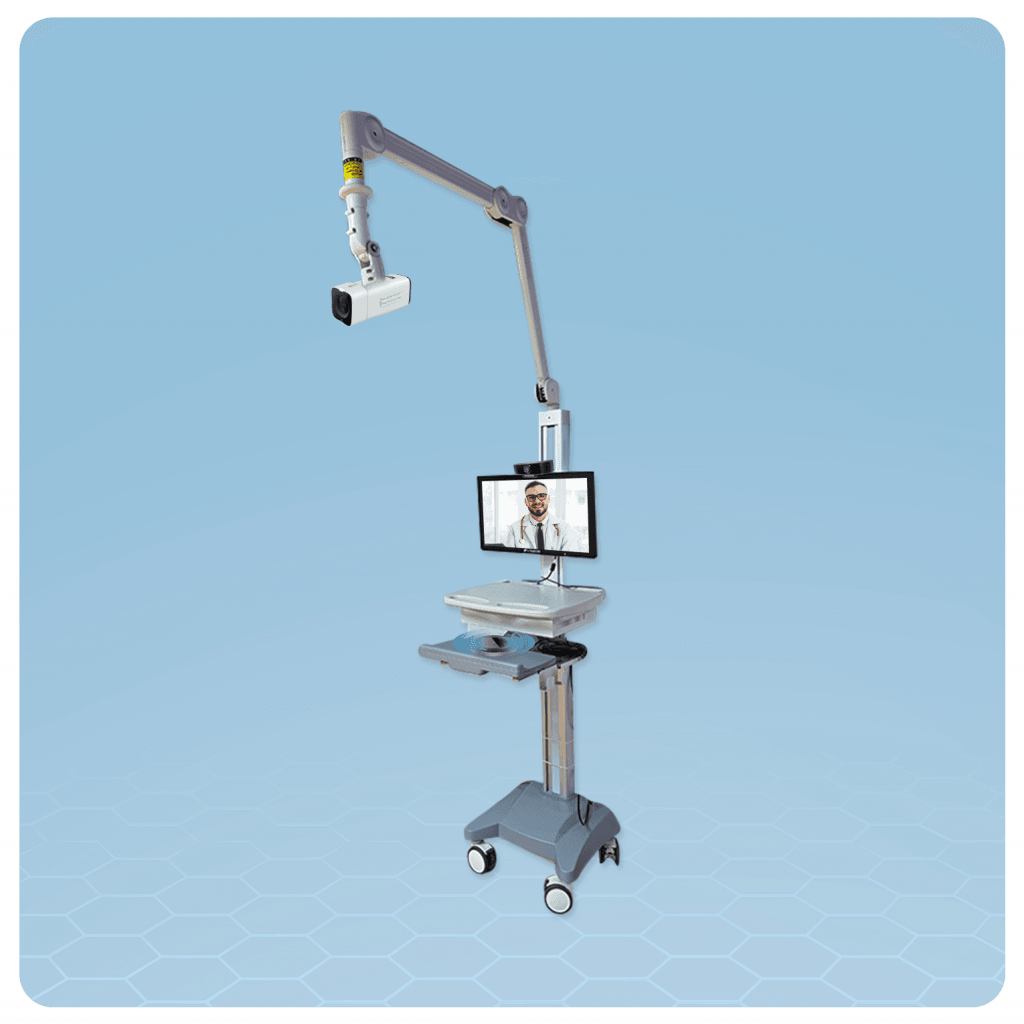
Cart 2
- VESA Mount: Supports 75x75mm and 100x100mm screens
- Screen Weight Capacity: Up to 10kg
- Screen Movement: 20° left and right
- Extends out on both sides
- Lifting Arm
Rolling out Remote Patient Monitoring across a Hospital Network?
Share the ICU count and locations and we will size the Command Centre and the Carts for each.