Room Solutions · Digital Signage Podium

PeopleLink Signage PodiumA Lectern that Doubles as a Signage Screen

The PeopleLink Signage Podium is a Digital Signage Podium for Classrooms, Lobbies and Conference Halls, supplied as a range of models.

  • Delta, Delta Plus, Ultra, Ultra Plus, Elite Models
  • Robust Body
  • 32" Signage Display Digital Signage
  • One OEM

    Hardware and Software from a single vendor

  • Deployed Globally

    Enterprise, Government, Education and Healthcare

  • Regional Partner Support

    Service and Support through PeopleLink Partners and Resellers in your region

  • Published Specifications

    PDF Datasheets available for PeopleLink products

Overview

What this Digital Signage Podium does in your Room

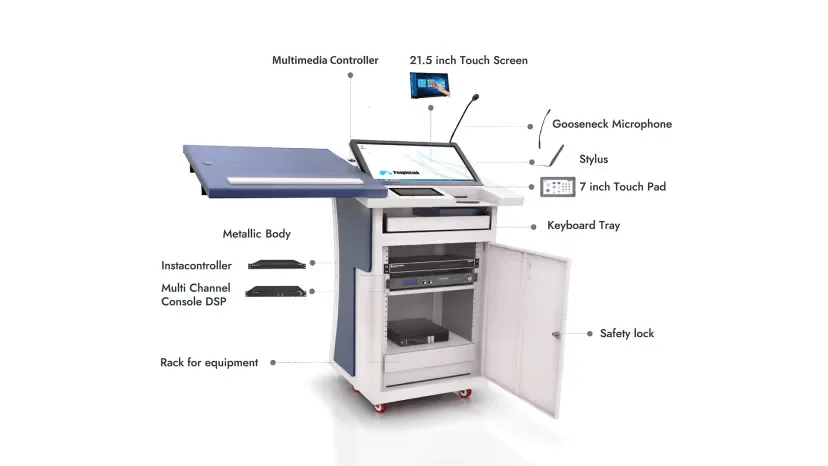
The PeopleLink Signage Podium is a Digital Signage Podium for Classrooms, Lobbies and Conference Halls, supplied as a range of models. Every model carries a built-in 32 inch Signage Display and a Digital Clock, so the podium shows programme information between sessions. From the second model upward a 21.5 inch 1080p Touch Monitor rises on an Electronic Monitor Lift, and Ultra adds a 100W DSP, Wireless Microphones and a pair of 50W Speakers. Inside are 12U of Rack Space, Lockable Storage, Cooling Fans and a built-in PC. One unit does duty as a lectern and as a signage screen for the space it stands in.

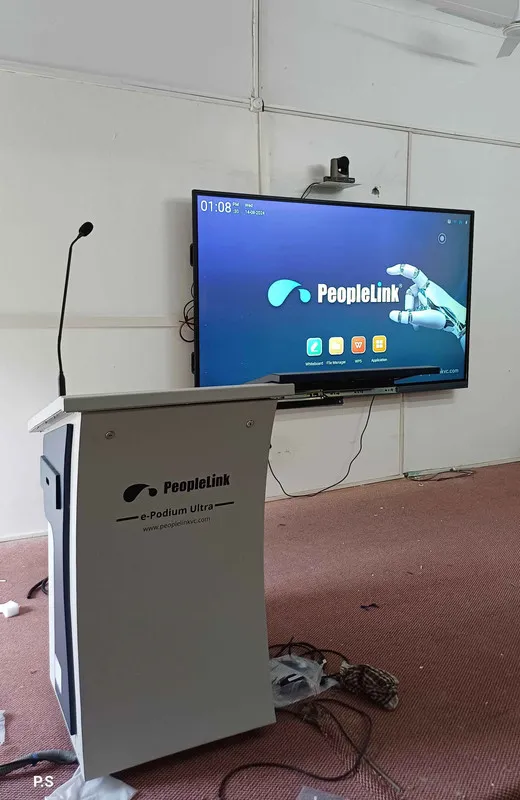
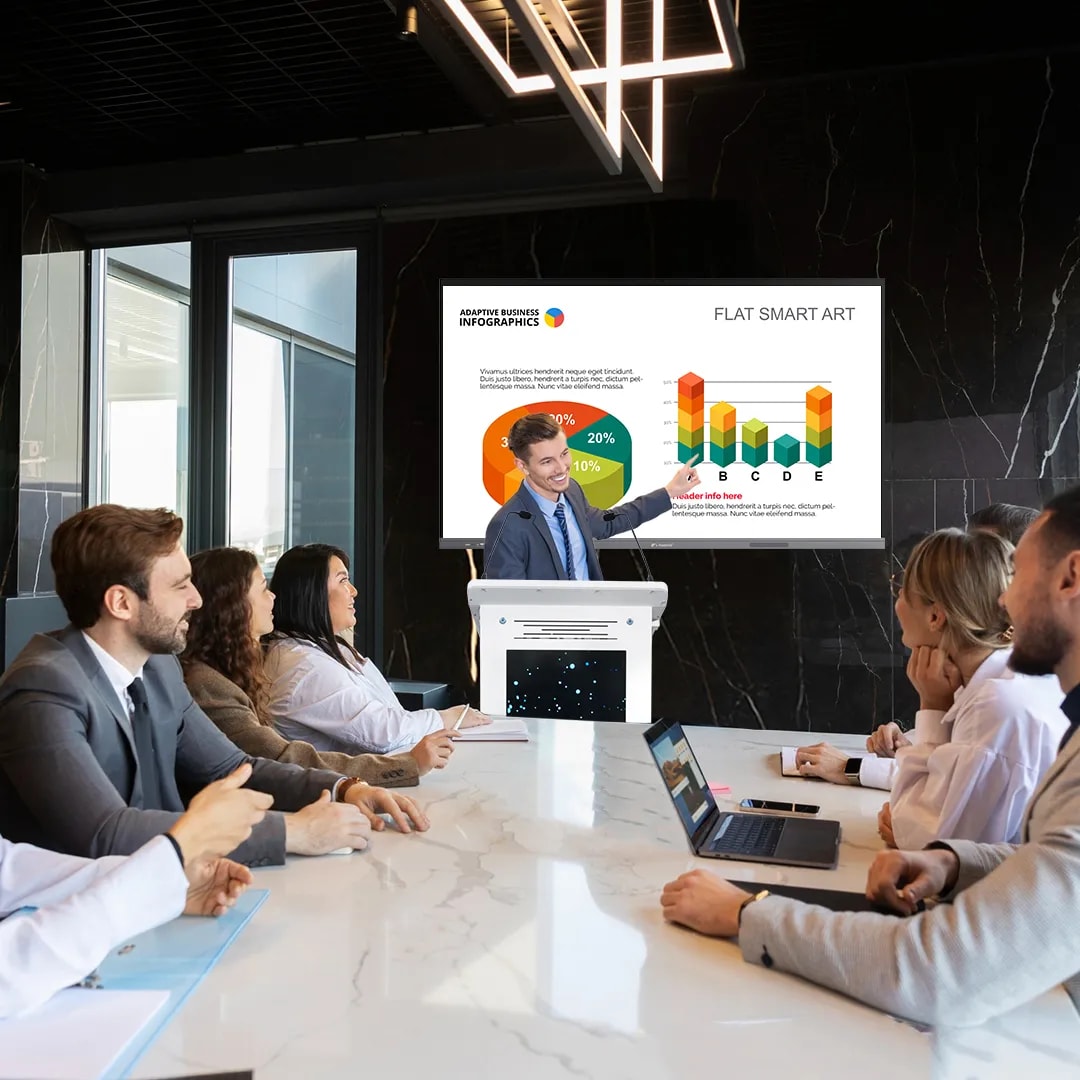
PeopleLink Signage ePodium, featuring a 21.5-inch interactive touch display for smooth content control and a front digital signage screen for clear visibility and branding. Designed with an integrated audio system, multimedia controls, and versatile connectivity, it enables seamless management of presentations, devices, and displays from a single platform. Built with a durable robust structure and ergonomic design, this all-in-one digital podium ensures efficient operation and professional performance, making it ideal for modern classrooms, training rooms, auditoriums, and corporate environments.

Built In

Built to Present and to Inform

Easy Control

Touch Control

Operate presentations from the podium screen.

User Comfort

Adjustable Height

Adjust screen height for comfort.

Clean Setup

All Devices in One Podium

Keep system and devices inside.

Clear Sound

Built-in Audio

Supports multiple microphones.

Audience View

Front Display

Show branding or session info.

Smart Motion

Motorized Screen Lift

Smooth automatic movement.

Built-In

Integrated Control Screen

No external controllers needed.

Safe Use

Lockable Storage

Secure device storage.

Heat Control

Active Cooling

Stable performance for long sessions.

Easy Connect

Multiple Input Ports

Easy device connections.

Where It Works

What the Smart Digital ePodium Actually Does

Functionality-first solutions built for real-world environments.

Corporate Boardroom
Where It Works

Corporate & Boardrooms

  • Zero-Minute Startup Leaders connect instantly via USB/BYOM, no delays, no waiting.
  • Hybrid Meeting Control Annotate live dashboards while managing your video meetings from one panel.
  • Branding Display Use the 32” front signage to showcase logos, agendas, and speaker titles.
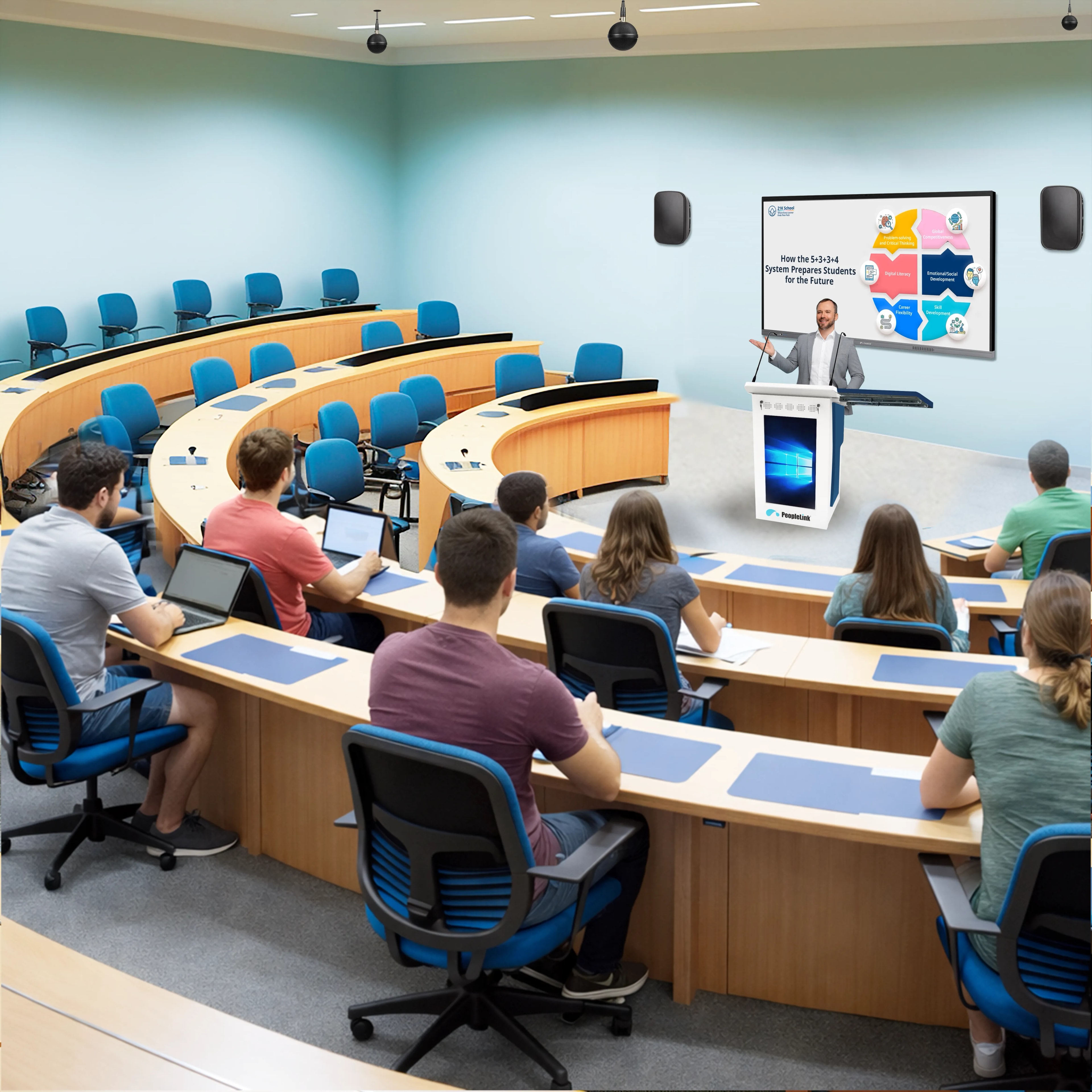
Higher Education
Where It Works

Higher Education & Training

  • Interactive Teaching Professors annotate live equations and 3D models on the touch display.
  • Physical-to-Digital Bridge Project textbooks or specimens instantly with the document tray.
  • Lecture Recording One-click integration captures screen, voice, and annotations.
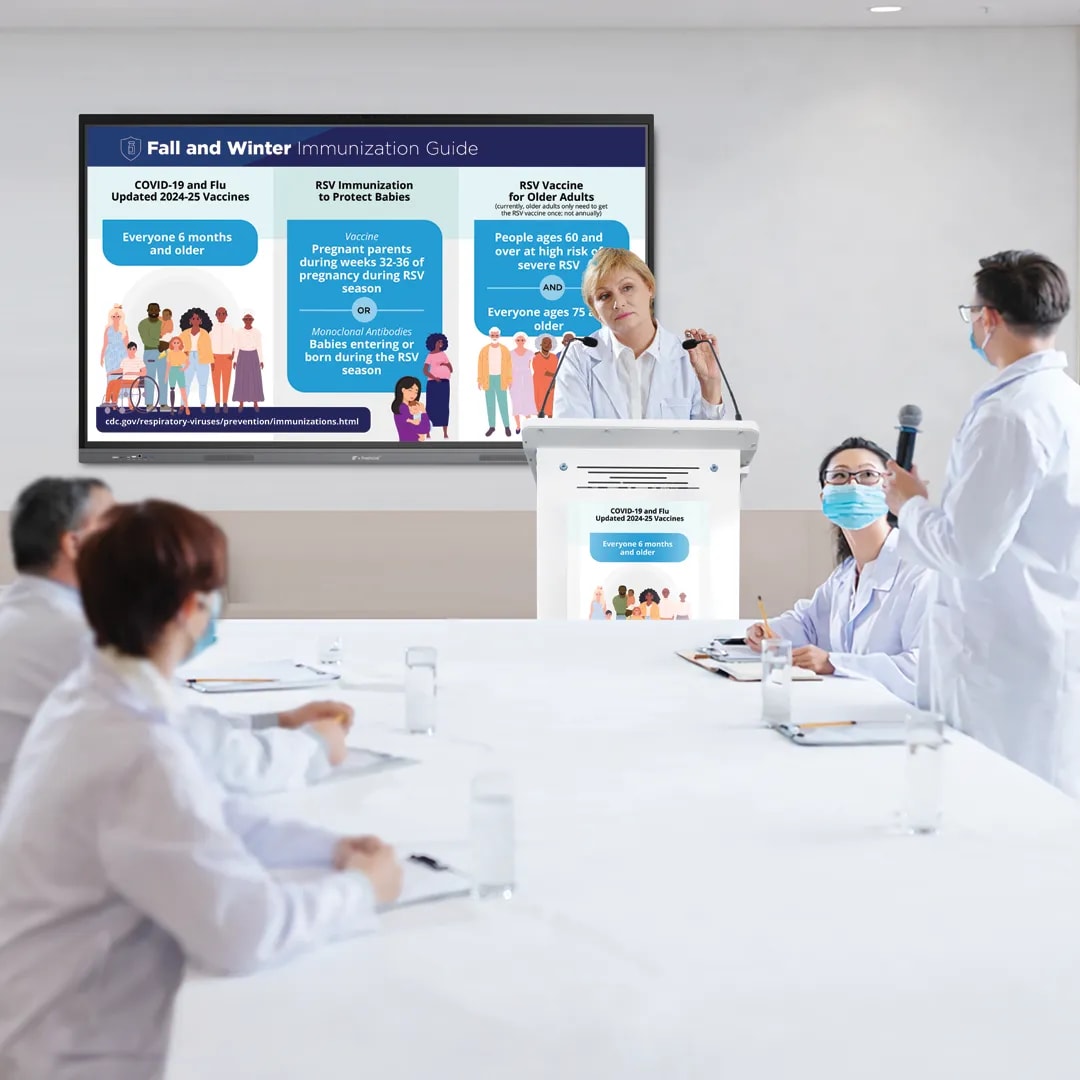
Healthcare
Where It Works

Healthcare & Telemedicine

  • Surgical Review Present radiology scans and surgical videos in crystal clarity.
  • Remote Consultation Hub Control PTZ cameras and audio systems from one ergonomic station.
  • Hygienic Build Powder-coated finish designed for hospital-grade sanitation.
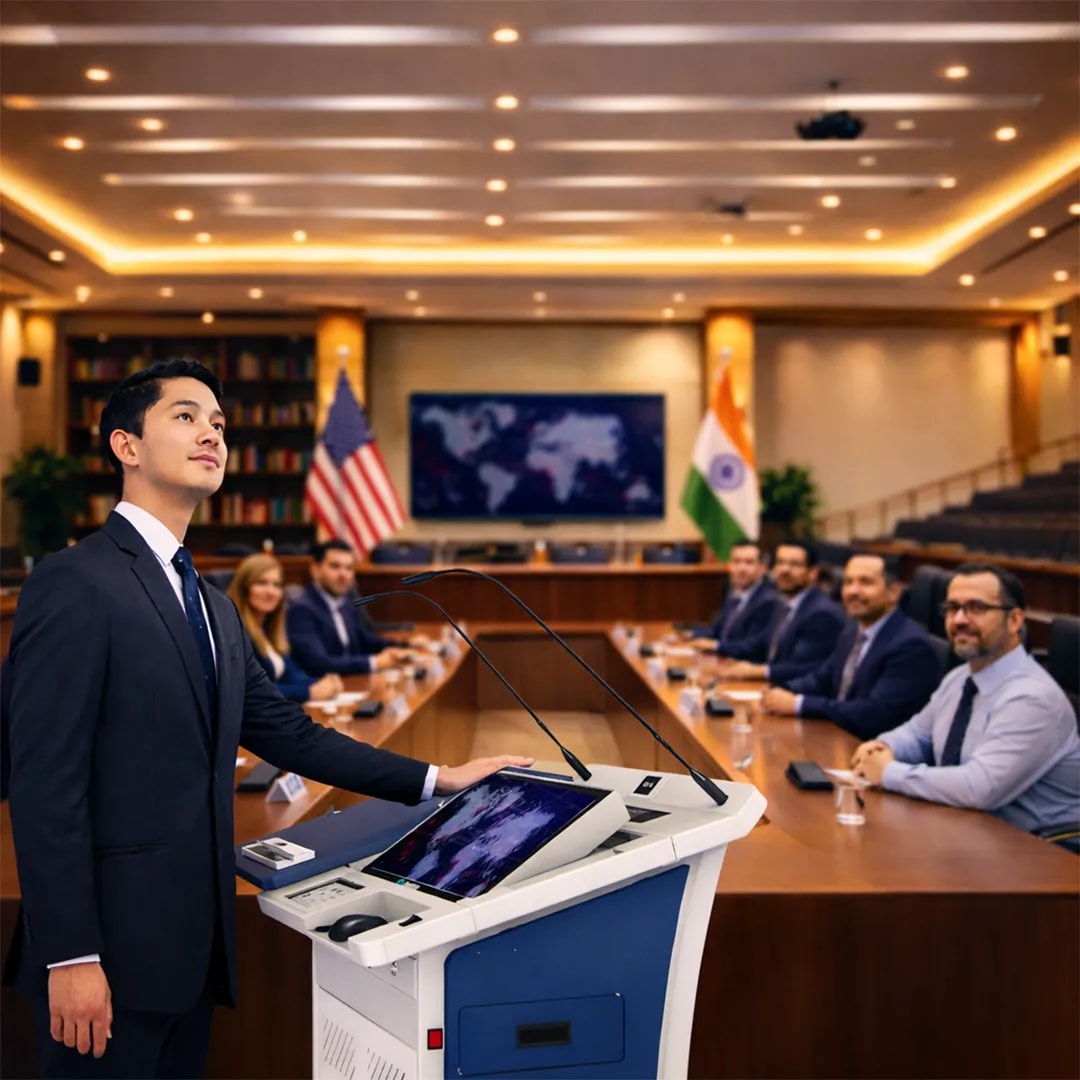
Government
Where It Works

Government & Public Sector

  • Command & Briefing Control Lead high-level briefings with instant access to dashboards and maps.
  • Secure Meeting Environment Integrated locking systems ensure secure communication.
  • Multi-Agency Coordination Manage hybrid sessions with remote departments seamlessly.
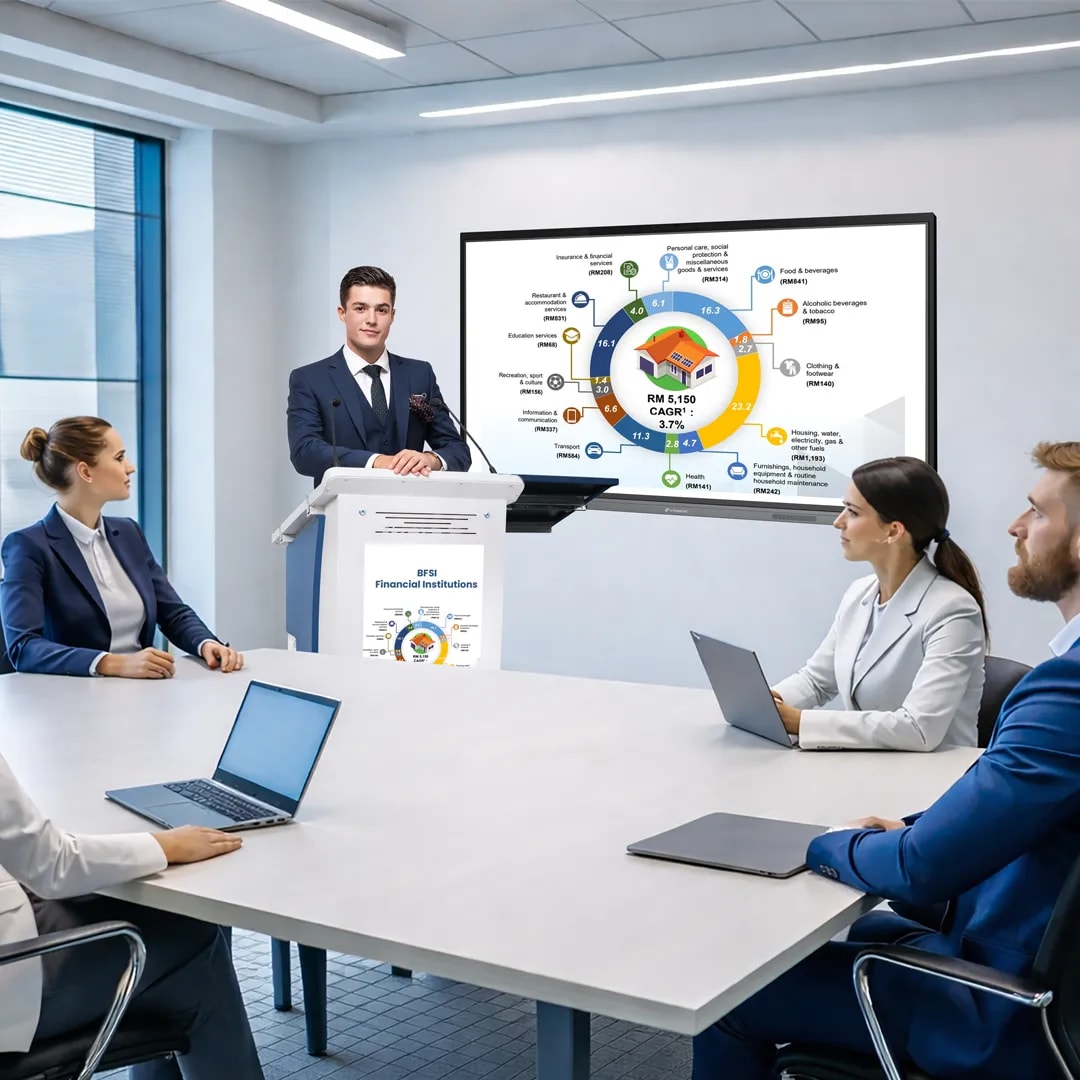
BFSI
Where It Works

BFSI & Financial Institutions

  • Executive Financial Reviews Present live dashboards and analytics with real-time annotations.
  • Client & Investor Meetings Create premium presentation experiences with digital branding.
  • Confidential Data Handling Secure hardware design reduces dependency on unsecured devices.
Industries

Industries That Benefit from Smart Digital ePodium Solution

Education

  • Smart Classrooms
  • Lecture Halls
  • Training Centers

Healthcare

  • Medical Conventions
  • Telemedicine Hubs
  • Hospital Boardrooms

Corporate

  • Executive Boardrooms
  • Training Hubs
  • Conference Rooms

Government

  • Briefing Rooms
  • Command Centers
  • Auditoriums

BFSI

  • Financial Briefings
  • Investor Relations
  • Training Academies

Thinking of upgrading your presentation setup? Talk to us and see how PeopleLink Signage ePodium fits your needs

Contact-Us
In the Room

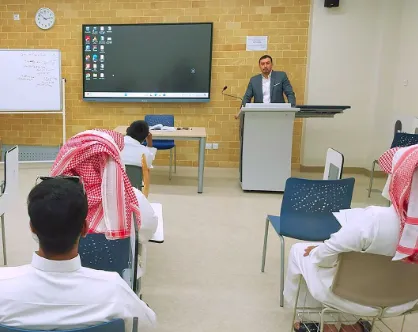
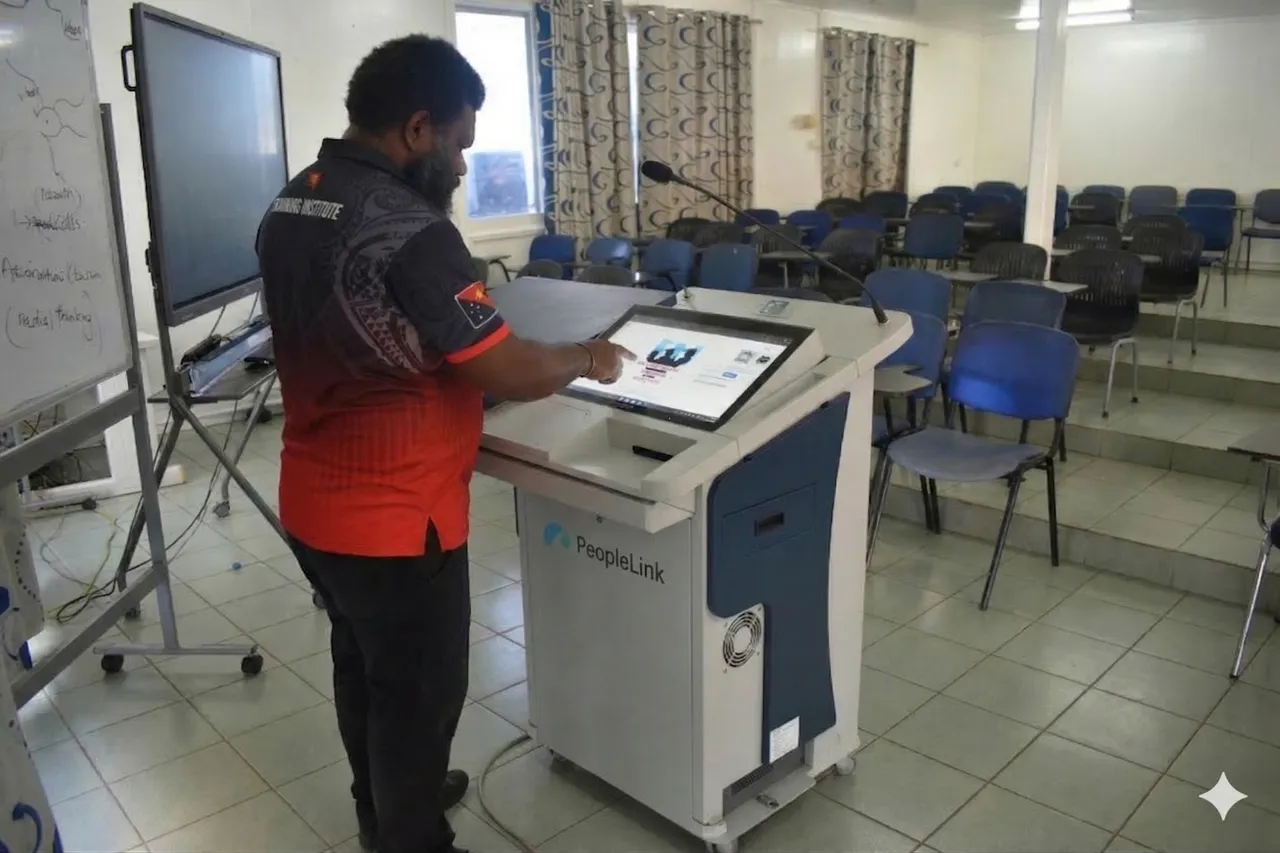
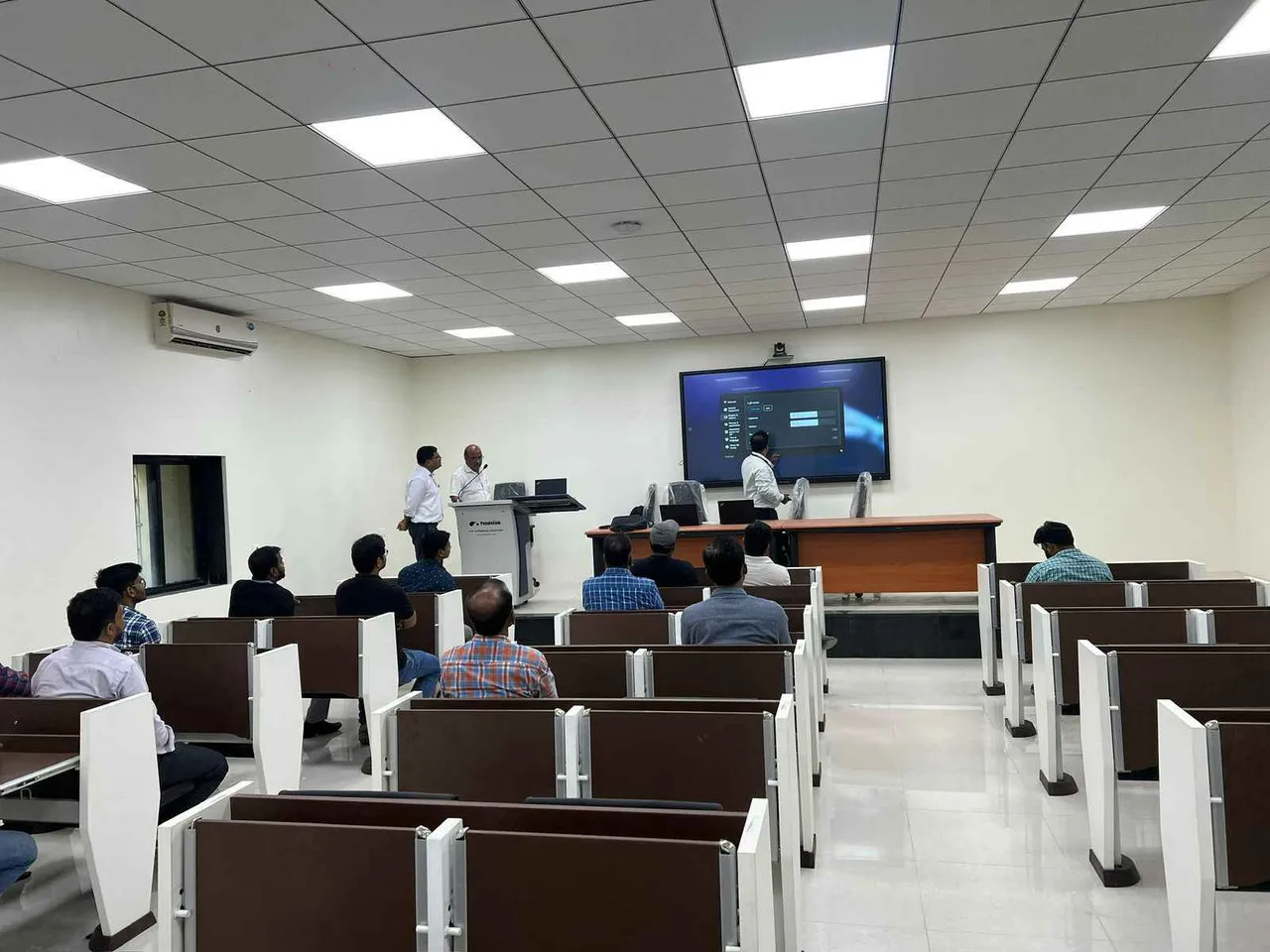
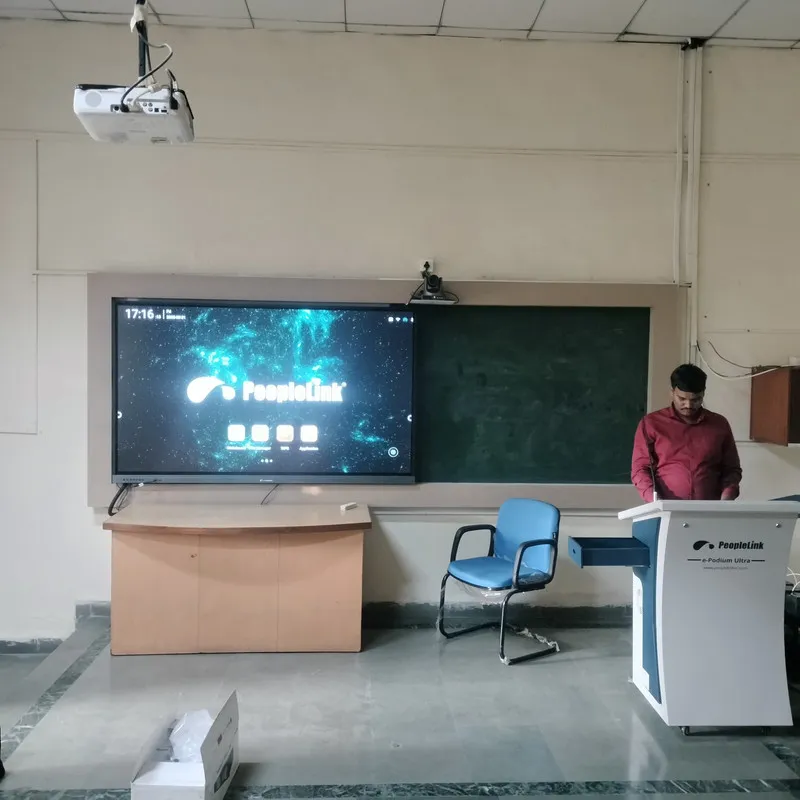
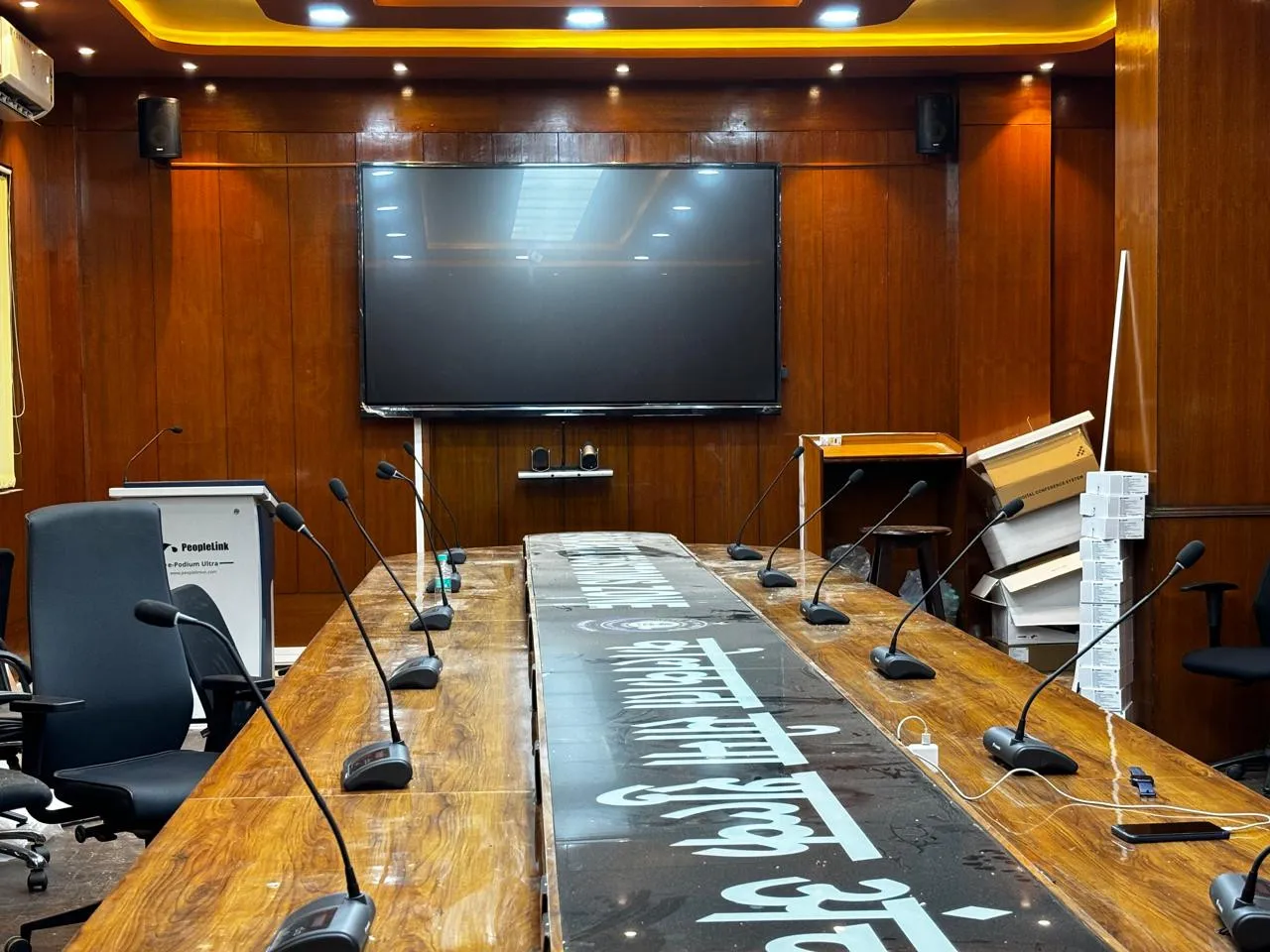
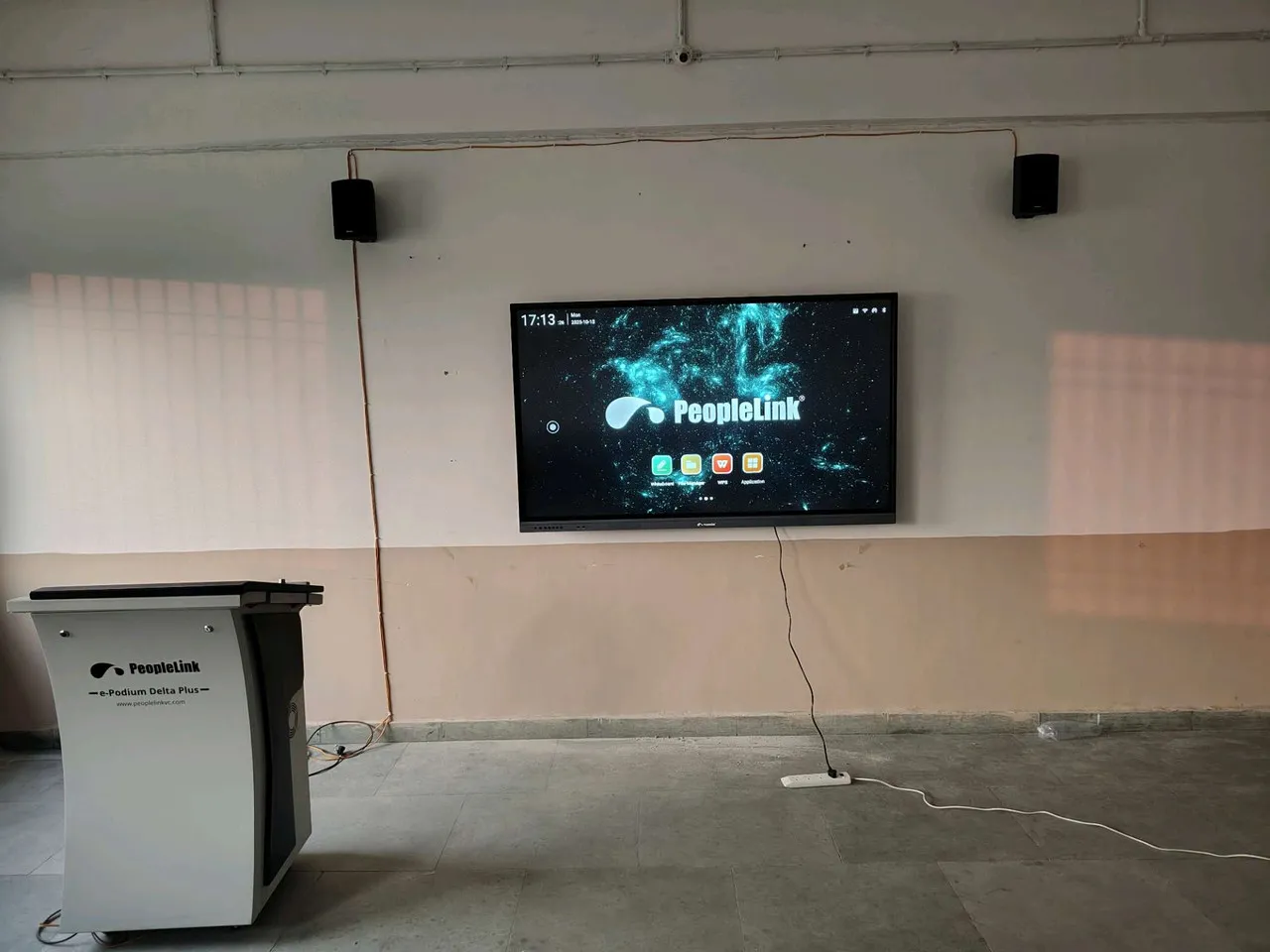
Podiums Photographed on Site

Real installations in classrooms, training rooms and lecture halls.

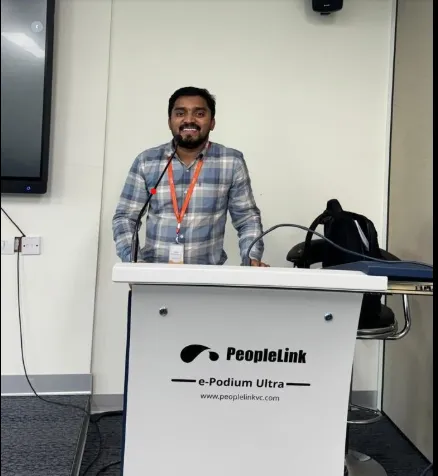
Presenter at a PeopleLink digital podium in front of an interactive display
Digital Podium InstallationClassroom
Training room with a PeopleLink e-Podium and interactive display
Training Roome-Podium and Interactive Display
Trainer presenting from a PeopleLink digital podium to a class
Trainer at Digital PodiumTraining Session
The components

Designed for Performance Smart ePodium Features That Matter

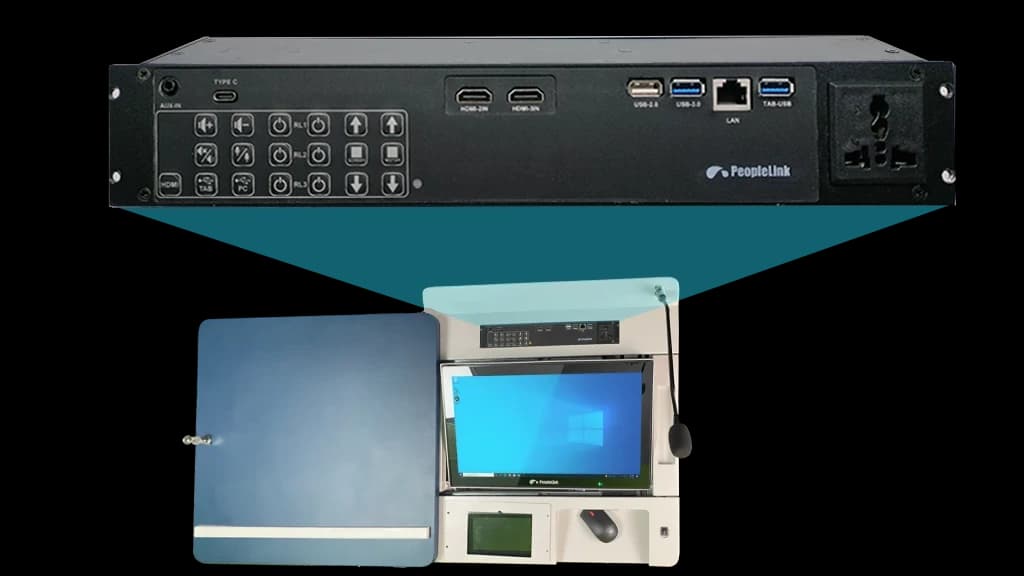
Multi-Media Interface Controller

Multi-Media Interface Controller

Control all your AV devices from one interface for faster, seamless presentations.

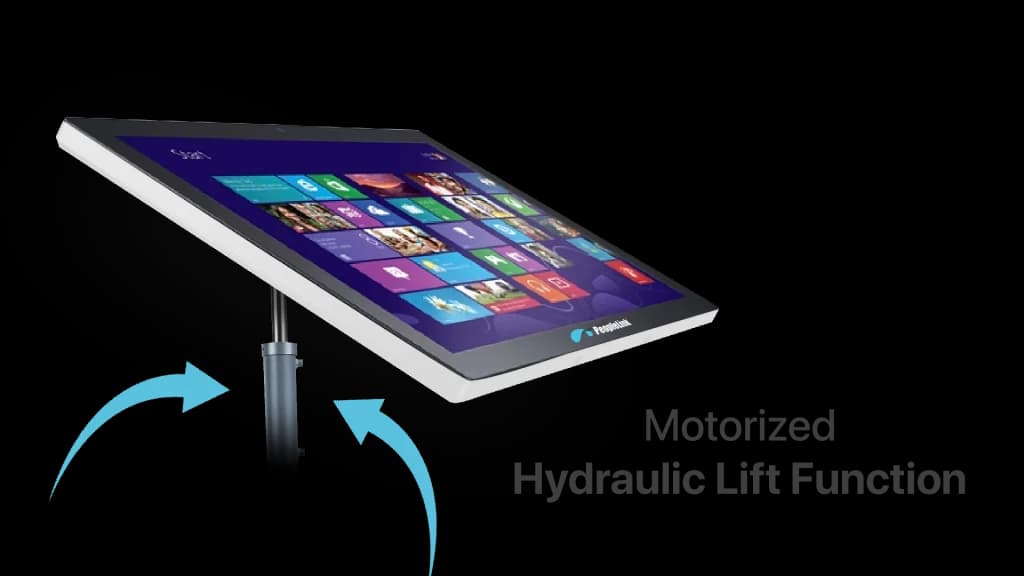
Hydraulic Lift Function

Hydraulic Lift Function

21.5-inch touchscreen with motorized hydraulic lift for ergonomic viewing and flexible height adjustment.

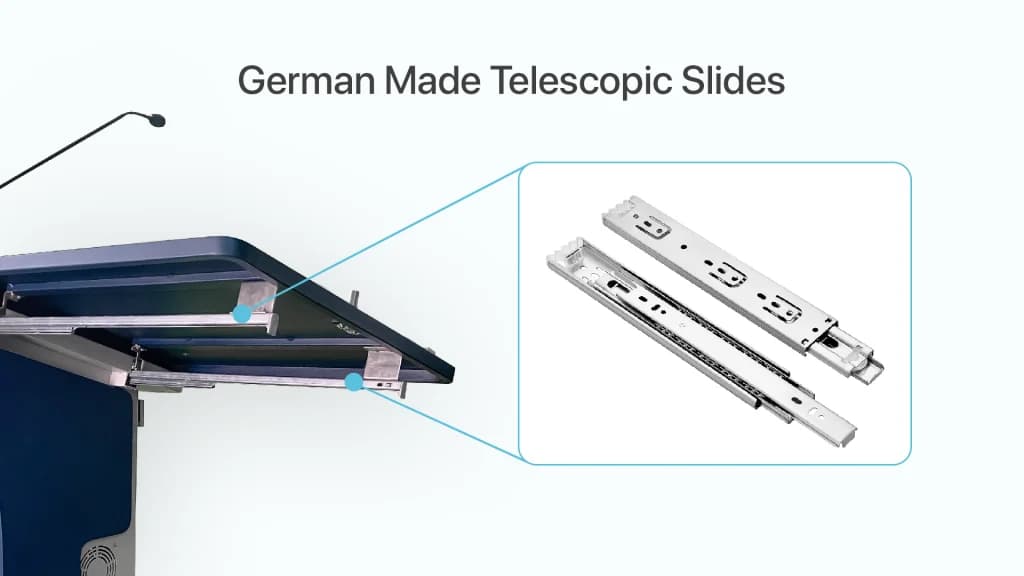
German-Made Telescopic Slides & Sliding Door

German-Made Telescopic Slides & Sliding Door

Lockable sliding door with German telescopic rails for secure storage and smooth operation.

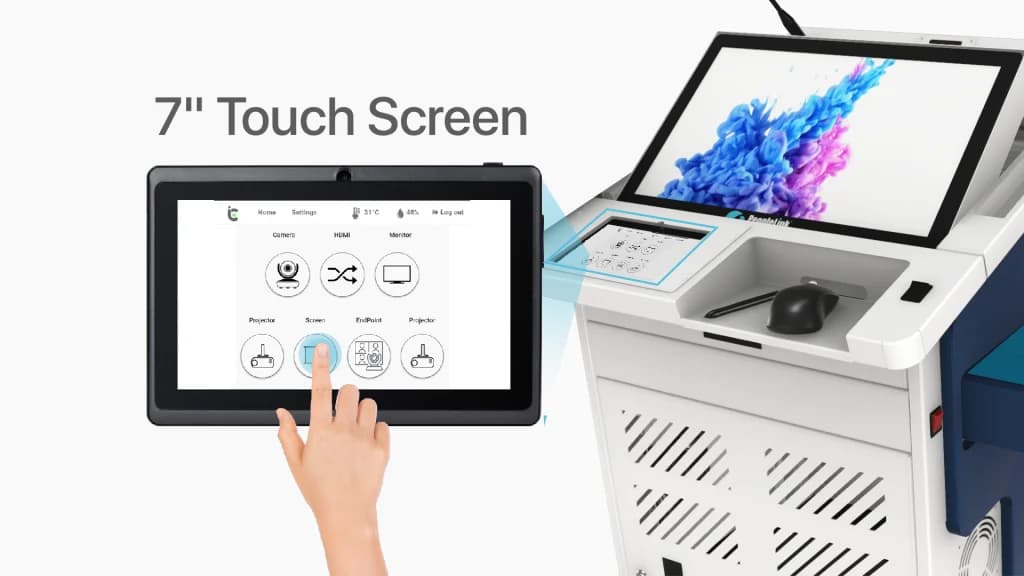
7″ Touch Screen Controller

7″ Touch Screen Controller

Touchscreen controller digital podium for centralized AV device control and seamless presentation management.

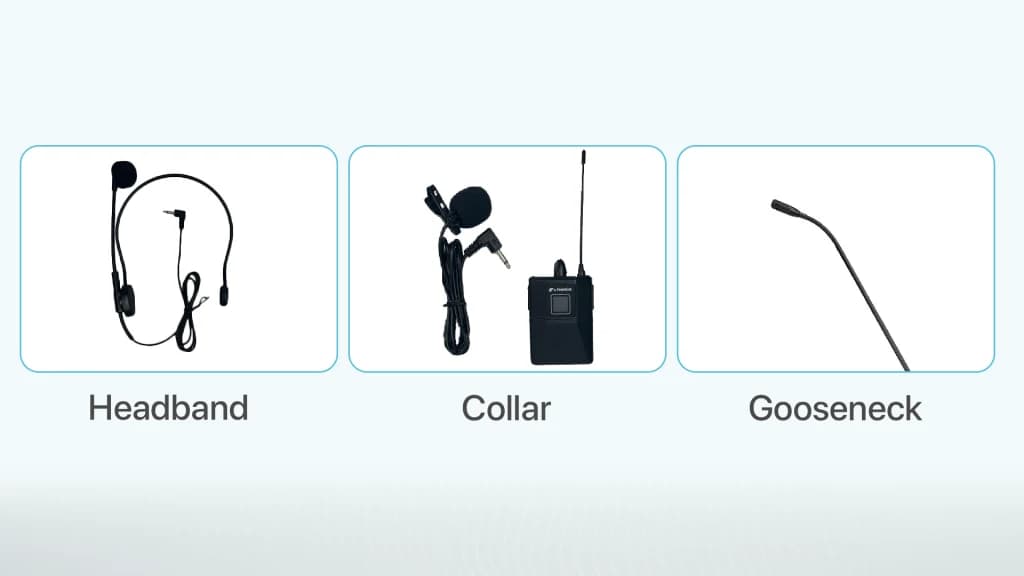
Professional Microphones

Professional Microphones

Multiple microphones for clear audio, seamless communication, and enhanced presentation experience.

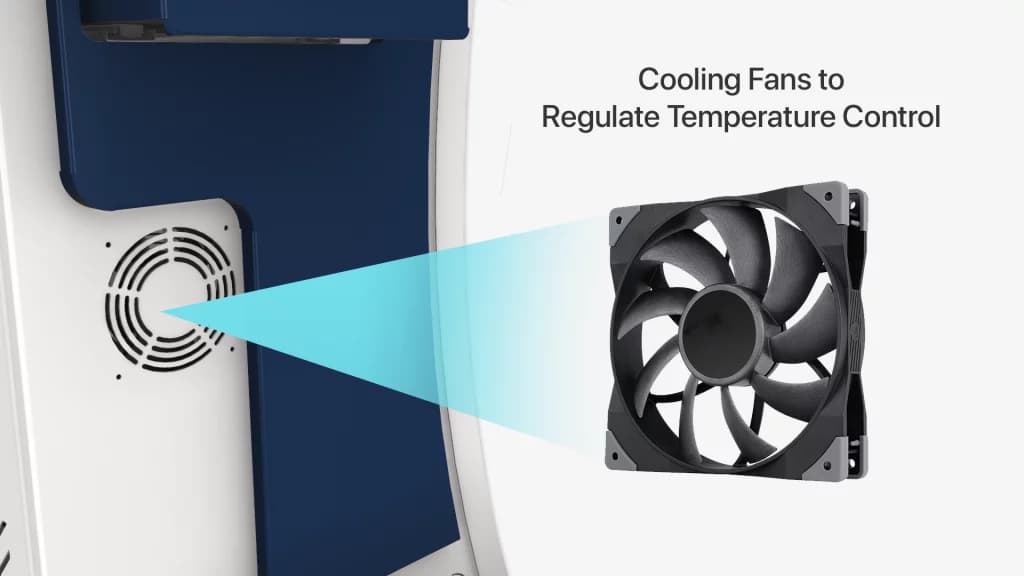
Built-in Cooling System

Built-in Cooling System

Integrated cooling fans maintain optimal temperature, ensuring stable performance even during long usage.

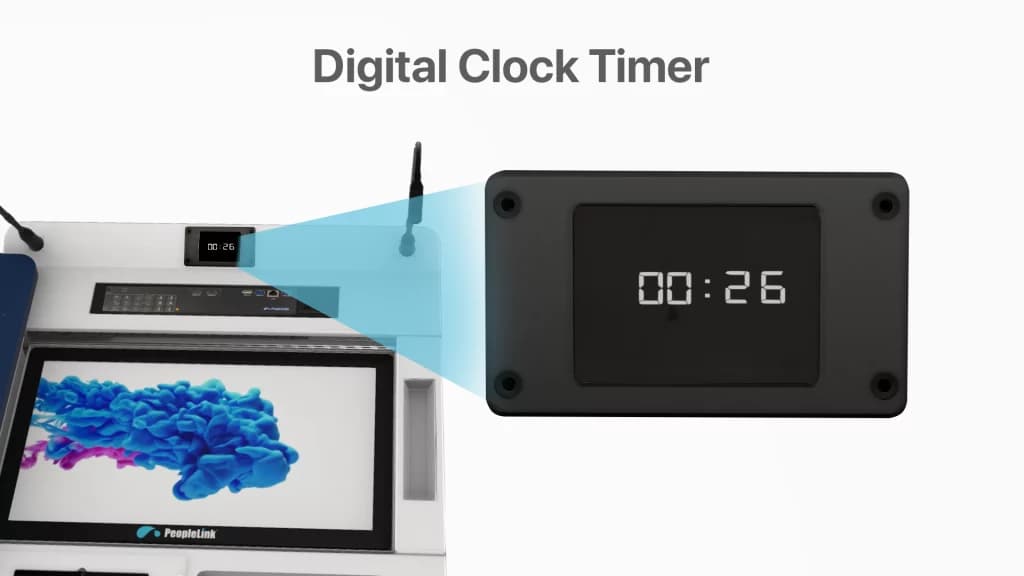
Digital Timer Display

Digital Timer Display

Built-in clock helps presenters track time easily, ensuring well-paced and efficient presentations.

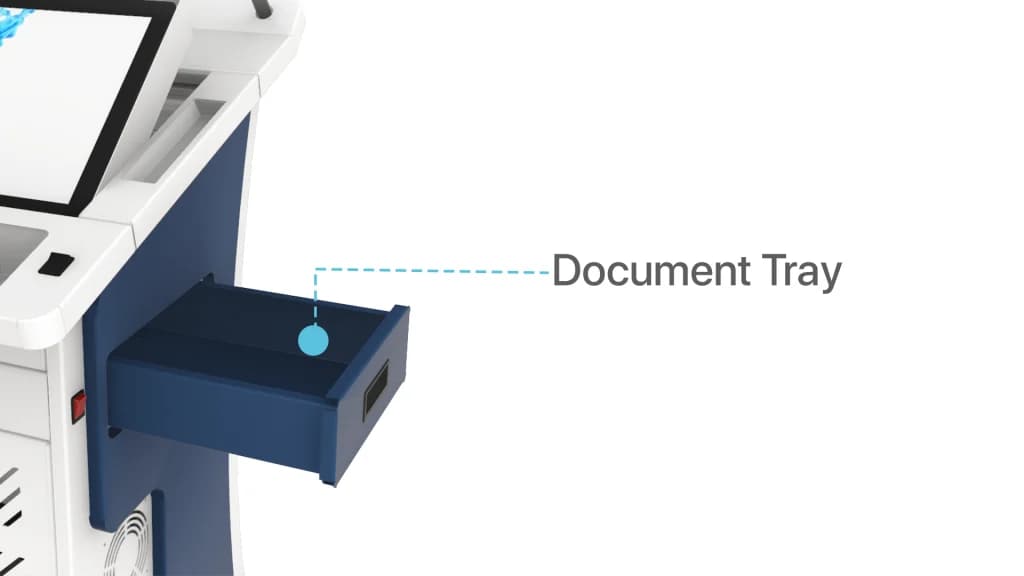
Document Camera Tray

Document Camera Tray

Integrated document camera tray for easy content display and smart storage

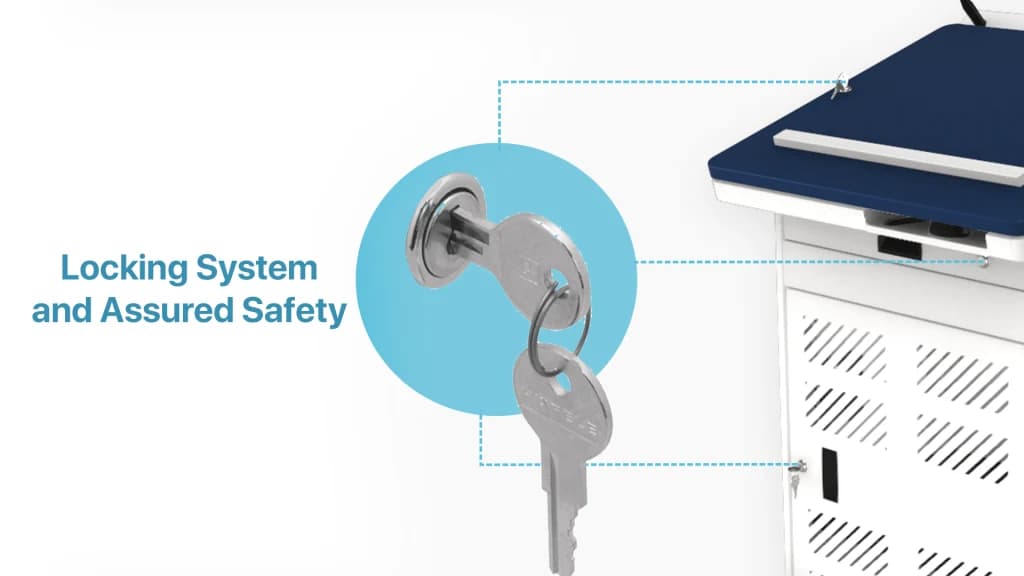
Locking System and Assured Safety

Locking System and Assured Safety

Secure epodium with multi-lock system and rounded edge design for safe and protected usage.

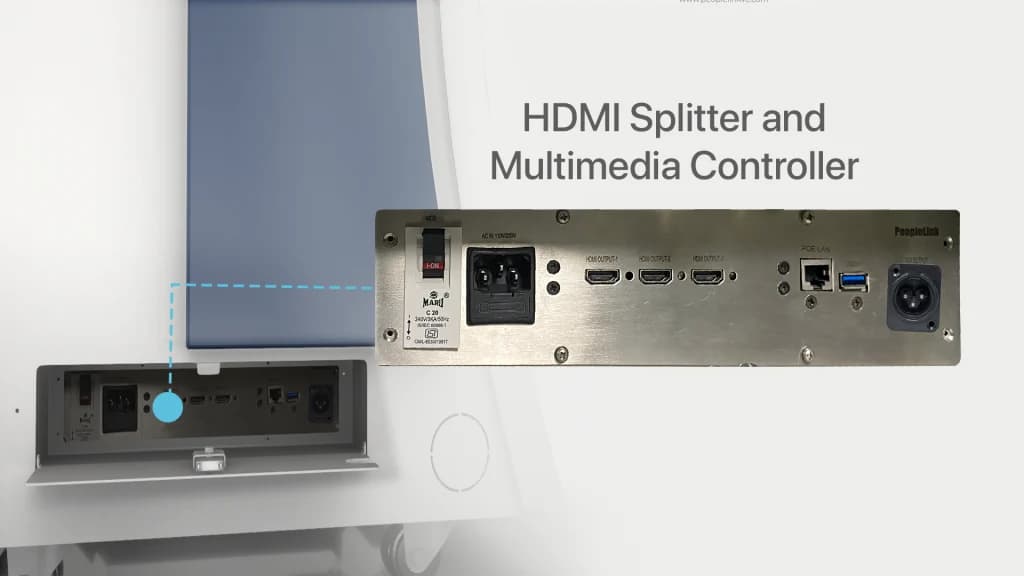
HDMI Splitter and Multimedia Controller

HDMI Splitter and Multimedia Controller

epodium with HDMI splitter and multimedia controller for seamless device connectivity and content sharing.

Have questions or want to customize your ePodium setup?

Whatsapp

How the Smart Digital ePodium Works

How it works
Specifications

Compare Signage ePodium Models

Match the model to the room. The table carries the current range and grows as new models are released.

SpecificationDeltaDelta+UltraUltra+Elite
BodyRobustRobustRobustRobustRobust
Keyboard Slider
Document Camera Tray
Top Sliding
Electronic Monitor Lift
Touch Monitor
Monitor SizeSurface Plate21.5"21.5"21.5"21.5"
Resolution1080p1080p1080p1080p
Brightness350 cd/m2350 cd/m2350 cd/m2350 cd/m2
Digital Signage32" Signage Display32" Signage Display32" Signage Display32" Signage Display32" Signage Display
Digital Clock
Multimedia Controller - TOPSurface Plate
HDMI Splitter - BottomSurface Plate
Control Pad7" Touch Pad7" Touch Pad
Built-in DSP100W DSP/Amplifier100W DSP/Amplifier100W DSP/Amplifier
Wireless Microphone1x Lapel / Headworn,1x Handheld1x Lapel / Headworn,1x Handheld1x Lapel / Headworn,1x Handheld
Speakers2x 50W Wall Mount Speakers2x 50W Wall Mount Speakers2x 50W Wall Mount Speakers
Gooseneck Mic1x Gooseneck Microphone1x Gooseneck Microphone1x Gooseneck Microphone
InstaController✔ ( RSI-552 )✔ ( ARSI-31074 )
Cooling Fans
CPUOptionalOptionalOptionalOptionalOptional

Key Specifications

Headline specifications from the product Datasheet. Full model-by-model detail is in the PDF.

ItemThis product
ModelsDelta, Delta Plus, Ultra, Ultra Plus, Elite
BodyRobust
Digital Signage32" Signage Display
ProcessorIntel i3 / i5

Technical Specifications

Delta
BodyRobust
Keyboard SliderAvailable
Document Camera TrayAvailable
Top SlidingAvailable
Monitor SizeSurface Plate
Multimedia ControllerSurface Plate
Digital Signage32" Signage Display
Signage Screen Size32"
Rack Space12U
ProcessorIntel i3 / i5
RAM4 GB / 8 GB / 16 GB
Storage (HDD)256 GB / 512 GB / 1 TB
Operating System (CPU)Windows 10 / 11
Delta Plus
BodyRobust
Multimedia ControllerAvailable
Digital Signage32" Signage Display
Electronic Monitor LiftAvailable
Digital ClockAvailable
Touch MonitorAvailable
Cooling FansAvailable
Screen Size21.5” Diagonal
Resolution1080p
Brightness350 cd/m²
InputDVI, HDMI
TouchFinger and Stylus with capacitive Touch
Stylus TypeBattery Pen
Display Colors16.7M
Response Time5 ms
Contrast Ratio1000:1
Operating SystemWindows, Linux, Mac
Signage Screen Size32"
ProcessorIntel i3 / i5
RAM4 GB / 8 GB / 16 GB
Storage (HDD)256 GB / 512 GB / 1 TB
Operating System (CPU)Windows 10 / 11
Ultra
BodyRobust
Digital Signage32" Signage Display
Electronic Monitor LiftAvailable
Touch MonitorAvailable
Built-in DSP100W DSP
Built-in DSP200W (Optional)
Screen Size21.5” Diagonal
Resolution1080p
Frequency Range30Hz - 15,000 Hz
Automatic Echo CancellationAvailable
Connectivity1 × Line Input, 1 × Line Output, 1 × USB Port
Microphone Options1 × Lapel + Headworn
Power Output @ 8 Ohms50 Watts × 2
Speakers (1 Pair)50 W Speaker (1″ Titanium Dome Tweeter, 5.25″ Polypropylene Woofer, 90 Hz-20 kHz Frequency Response)
Signage Screen Size32"
ProcessorIntel i3 / i5
RAM4 GB / 8 GB / 16 GB
Storage (HDD)256 GB / 512 GB / 1 TB
Operating System (CPU)Windows 10/11
Ultra Plus
BodyRobust
Digital Signage32" Signage Display
Electronic Monitor LiftAvailable
Touch MonitorAvailable
Built-in DSP100W DSP
InstaControllerRSI-552
Screen Size21.5” Diagonal
Resolution1920 × 1080
Wireless Microphone1 × Lapel / Headworn, 1 × Handheld
Ethernet10/100 Mbps, Full / Half Duplex, IPv4
Control Pad7 Inches Touch Screen
Control Pad Resolution800 × 480
Control Pad InterfaceWi-Fi
Operating Temperature50° to 113° F (10° to 45° C)
Signage Screen Size32"
ProcessorIntel i3 / i5
RAM4 GB / 8 GB / 16 GB
Storage (HDD)256 GB/ 512 GB / 1 TB
Operating System (CPU)Windows 10/11
Elite
BodyRobust
Digital Signage32" Signage Display
Electronic Monitor LiftAvailable
Touch MonitorAvailable
Built-in DSP100W DSP
InstaControllerARS-31074
Screen Size21.5” Diagonal
Resolution1920 × 1080
InputDVI, HDMI
Wireless Microphone1 × Lapel / Headworn, 1 × Handheld
AmplifierAvailable
Ethernet10/100 Mbps, Full / Half Duplex, IPv4
Control Pad7 Inches Touch Screen
Operating Temperature50° to 113° F (10° to 45° C)
Signage Screen Size32"
ProcessorIntel i3 / i5
RAM4 GB / 8 GB / 16 GB
Storage (HDD)256/ 512 GB / 1 TB
Operating System (CPU)Windows 10/11

Rooms It Serves

Classrooms

Presentations and Interactive Teaching with a 21.5 inch Touch Monitor and a built-in Signage Display.

Lobbies

A 32 inch Signage Display carries programme information and wayfinding while the podium is idle.

Conference halls

Touch Monitor, 100W DSP Audio and InstaController for events and meetings.

Where a Digital Signage Podium Fits in Your Organisation

How organisations deploy a Digital Signage Podium, and what changes for the teams that use it

Enterprise

Lobby Podium for a Corporate Headquarters

A corporate headquarters places the PeopleLink Signage Podium in the lobby outside its main Conference Hall. Between sessions the built-in 32 inch Signage Display carries the day's agenda and wayfinding, and the Digital Clock keeps arrivals to time. When a session starts, the presenter raises the 21.5 inch Touch Monitor on the Electronic Monitor Lift and works from the same unit. 12U of Rack Space inside holds the room's hardware out of sight.

Government

Briefing Wing Podium for a Government Training Academy

A government training academy stations the PeopleLink Signage Podium at the entrance to its briefing wing. The 32 inch Signage Display announces the day's programme while the podium is idle, so visitors find their room without asking. In the Ultra configuration, a 100W DSP, a Gooseneck Microphone and a pair of 50W Speakers cover the briefing itself, while InstaController handles the room's sources. The Robust Body suits a space open to the public.

Hospitality

Conference Hall Podium for a Convention Venue

A convention venue moves the PeopleLink Signage Podium between its Conference Halls as the event schedule changes. The Signage Display carries session content between talks, and the Ultra Plus configuration adds InstaController with a 7 inch Control Pad over Wi-Fi, so a technician can drive the room from the floor. A Wireless Handheld Microphone covers audience questions, and Cooling Fans keep the podium steady through a full day of sessions.

Not sure which model fits your Classrooms or Lobbies?

Tell us the room size and seating. A PeopleLink specialist will recommend the right model.

Talk to Sales

How It Compares

CapabilityThis productTypical Alternative
SignageBuilt-in 32” signage displayA standard lectern/podium
Display21.5” touch monitor with electronic liftNo integrated display
ControlMultimedia controller and InstaControllerManual device switching
AudioBuilt-in DSP, wireless mics and speakersNo integrated audio

Why PeopleLink

Hardware plus Software

Cameras, Audio, Control and Collaboration Platforms, built by one OEM.

Integrates Cleanly

PeopleLink Podiums pair with PeopleLink Cameras, Audio and Room Solutions out of the box, and 12U of Rack Space inside holds the room's own hardware.

Deployed Globally

Used across Enterprise, Government, Education and Healthcare environments.
Specialist Support

Talk to PeopleLink AV Specialists for sizing, integration and rollout.

Planning a multi-room or campus rollout?

Get one consolidated quote covering Hardware, Software and Installation from One OEM.

Request a Quote

Frequently Asked Questions

Testimonials

What Rooms Report Back

The PeopleLink Digital Podium has completely streamlined our board meetings. The centralized control is a game changer.
Chief Executive Officer
Our professors love the intuitive touch interface. It makes teaching complex subjects much more interactive.
University Dean
University Dean
The digital podium is easy to use, saves time, and makes our sessions more interactive and professional.
Faculty Member
Faculty Member
Setting up meetings used to take time, but now it’s quick and hassle-free.
Operations Manager
Operations Manager
Everything is built into one system, which makes things much easier.
Technical Director
Technical Director
Now we can focus more on the training instead of worrying about the setup.
Learning & Development Head
It helps us keep lectures smooth without interruptions or technical problems.
Academic Coordinator
Students are paying more attention now. It definitely improved our classes.
School Principal
School Principal
It gives a clean and modern feel to our meeting rooms.
Managing Director
Managing Director

Technical Documentation

Signage Podium Delta
Signage Podium Delta Plus
Signage Podium Ultra
Signage Podium Ultra Plus
Signage Podium Elite

Match a Signage Podium to your Space

Share your room size, seat count and audio needs. A PeopleLink AV Specialist will confirm the model and configuration.

Request Demo

Loading reCAPTCHA...

WhatsApp Updates

Get PeopleLink AV and Collaboration Updates on WhatsApp

Product Launches, Datasheets, Solution Guides for Meeting Rooms and Classrooms, Event Invitations and Partner Programme news from PeopleLink, a global AV and Unified Communications OEM. For CIOs, IT Heads, AV Consultants, System Integrators and Channel Partners.

  • Video Conferencing Cameras
  • Interactive Flat Panels
  • LED Video Walls
  • Digital Podiums
  • Audio Conferencing
  • Smart Classroom Solutions
  • Partner Programme
  1. 1. Scan or openScan the QR Code with your phone camera, or open visit.peoplelinkvc.com.
  2. 2. Fill the short formTick "Stay in Touch" and PeopleLink updates reach you on WhatsApp.

By ticking "Stay in Touch" on the form you agree to receive WhatsApp and email messages from PeopleLink Unified Communications about Products, Solutions, Events and Partner updates. You can opt out at any time.

Scan to join PeopleLink WhatsApp Updates

visit.peoplelinkvc.com