
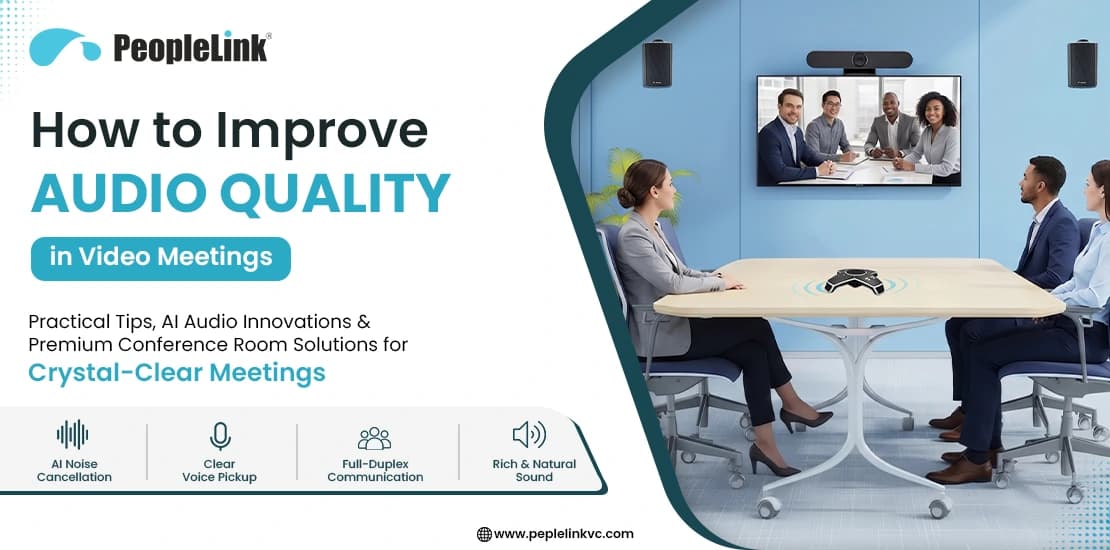
Today, video conferencing has become the backbone of business communication. Large organizations navigate complex multi-office, remote, and hybrid setups daily. Yet, while businesses spend thousands optimizing high-definition 4K video feeds, they often overlook the most critical component of any virtual interaction: audio.
In most meetings, a frozen video or low-quality camera is not a big problem. People can still follow along by looking at shared slides or listening to instructions. But if the audio is bad, with choppy sound, echoes, or loud background noise, the meeting quickly becomes unproductive.
Poor audio quality makes meetings tiring, causes misunderstandings, and leaves remote participants feeling disconnected, and a lack of meeting equity, with remote participants feeling disconnected from the physical boardroom. For IT managers, hybrid workplaces, educators, and enterprise decision-makers, improving audio quality in video meetings is no longer a luxury but an important for every business.
Common Audio Problems in Video Meetings
Before you set up a new audio solution for video meetings, it’s important to find out what is causing poor sound quality. Most virtual meetings have a mix of these common audio problems:- Background Noise: Leaf blowers, street traffic, keyboard clacking, and HVAC hums easily overpower human speech. Standard built-in microphones struggle to distinguish between a speaker’s voice and environmental noise.
- Echo and Feedback: This occurs when sound from a speaker leaks back into a live microphone. In a hybrid meeting, if multiple laptops are unmuted in the same room, it creates a piercing, high-pitched feedback loop.
- Low Microphone Volume: Often caused by poor hardware placement, incorrect software gain settings, or individuals sitting too far from a static laptop microphone.
- Network-Related Audio Issues: Packet loss and low bandwidth on unstable Wi-Fi networks manifest as robotic, choppy, or dropped audio, disrupting the flow of conversation.
- Poor Room Acoustics: Many modern offices use glass walls, hard floors, and simple designs. Without sound-absorbing materials, these surfaces reflect sound, creating a hollow, echoing effect.
- Multiple Participants Speaking Simultaneously: Traditional, lower-end audio hardware features one-dimensional processing. When two people speak at once, the system compresses the audio, occasionally cutting one person out entirely.
Practical Ways to Improve Audio Quality
To get clear audio, you need good user habits, the right software settings, and quality hardware. Try these key best practices in your organization:1. Use Professional Microphones and Speakerphones
Stop using your laptop’s built-in microphone. These microphones pick up sound from every direction. Switching to an external USB or Bluetooth microphone helps focus on your voice and improves sound quality right away.
2. Optimize Meeting Room Acoustics
If your conference room has a lot of echo, technology alone may not fix it. Add acoustic panels, carpets, or thick curtains to help absorb sound and reduce echoes.
3. Position Microphones Correctly
Keep microphones as close as possible to the person speaking. As the distance between the speaker and the microphone increases, the voice becomes softer and picks up more background noise. For meeting rooms, place microphones in a central location or use multiple microphones so everyone can be heard clearly.
4. Enable AI Noise Cancellation Features
Most meeting platforms have noise suppression settings. Remind your team to set these options to ‘High’ rather than ‘Auto’ when working in noisy environments.
5. Use Wired Internet Connections When Possible
Wi-Fi is easy to use, but it can have interference and delays. Using a wired Ethernet connection gives you a more stable connection and helps prevent ‘robotic voice’ problems.
6. Update Audio Drivers and Conferencing Software
Old software can cause problems between your computer and your video meeting app. Check for updates every week to keep everything running smoothly.
7. Test Audio Equipment Before Meetings
Avoid the dreaded “Can you hear me now?” routine. Use the “Test Audio” feature in your collaboration app to verify that your active microphone and speaker channels are working before hitting join.
8. Use High-Quality Headsets for Remote Participants
For home office employees, a dedicated headset featuring a physical boom microphone places the capsule inches from the mouth, organically rejecting peripheral room noise.
Best Audio Equipment for Hybrid and Conference Rooms
To guarantee true meeting equity where an executive calling from a home office has the same audio footprint as a director in a physical boardroom, organizations must invest in professional meeting-room audio systems.When outfitting a hybrid workspace, consider these specialized audio categories:
- Speakerphones: Great for small meeting rooms. The best models have several microphones and let people talk and listen at the same time, making conversations feel natural.
- Ceiling Microphones: These are ideal for large boardrooms and keep the room looking tidy. They pick up sound evenly from all parts of the room.
- Beamforming Microphones: These advanced microphones use smart technology to focus on the person speaking and block out noise from other directions.
- Wireless Audio Solutions: These are great for offices that change layouts often. You can move the microphones around to fit the number of people in the room.
- AI-Powered Audio Processing Systems: These systems use digital processors and cloud technology to adjust audio settings in real time, making sure the sound fits the room’s size and shape.
Case Study: Upgrading a Large-Scale Government Conference Infrastructure
Big meeting rooms with many seats can have serious sound problems. In long rooms, it’s hard to hear people at the far end, and the size of the room can cause strong echoes that make conversations hard to follow online.To overcome these structural acoustic obstacles, a modern Smart Video Conferencing Setup for Government Offices was deployed to create complete audio clarity.
The Challenge
A large government meeting room had a long, rectangular table with many seats. Because of the high ceiling, hard walls, and distance between people, regular speakerphones made voices sound far away and echo for remote listeners. People in the room had to speak loudly to be heard.

The Solution
The infrastructure underwent a specialized hardware modernization tailored for high-capacity hybrid communication:
- Dedicated Wired Digital Conference System: Rather than relying on a single central mic array, individual, low-profile gooseneck digital microphones were positioned directly at every single seat along the long table loop. This ensures each participant has an isolated, high-fidelity capture zone inches from their mouth.
- Central Audio Processing Rack: The microphone feed routes directly into a dedicated hardware enclosure that houses a high-power central amplifier and an automated digital audio control hub. The system balances inputs in real time, preventing clipping and distortion.
- Strategic Wall-Mount Speaker Matrix: Multiple premium audio speakers were installed high along the room’s accent walls. This structural separation between the tabletop microphones and the wall speakers prevents audio leaks, completely eliminating the risk of screeching feedback loops.
- Unified Core Integration: The entire audio framework cleanly feeds into an all-in-one smart board core system, anchoring audio to high-definition cameras to automatically focus on active speakers.
How AI Is Transforming Meeting Audio Quality
Artificial Intelligence has transitioned from an experimental software feature to the absolute plays an important role in enterprise communications. Modern audio systems leverage machine learning to automate complex acoustic adjustments instantly:AI Noise Suppression
Instead of using basic decibel gates that blindly cut out all quiet sounds, AI deep learning networks are trained on extensive voice profiles. They instantly identify, isolate, and remove non-human sounds—like a barking dog, a siren outside, or a crinkling chip bag—while keeping the user’s voice perfectly intact.
Echo Cancellation
AI dynamically builds an acoustic map of the physical room, anticipating when a speaker’s sound will bounce off a wall and back into a microphone. It mathematically subtracts that duplicated signal from the audio pipeline before it ever streams to remote participants.
Voice Tracking
When paired with multi-microphone arrays, AI detects the exact spatial coordinates of a speaker’s voice, turning the microphone’s primary focus to that individual as they move around a room or pace near a display.
Automatic Gain Control (AGC)
We all know the teammate who whispers, and the one who practically shouts. AGC utilizes AI to automatically normalize volume levels across all participants, boosting quiet speakers and attenuating overly loud ones to deliver a comfortable, unified listening volume.
Checklist: Quick Audio Quality Improvements Before Every Meeting
Keep this scannable, 5-point checklist handy before launching your next virtual call:- Select the Correct Input: Open your meeting software and double-check that your professional external microphone or headset is selected, not your laptop’s default mic.
- Perform a Sound Check: Speak a short sentence into the platform’s audio tester to verify your volume levels sit comfortably in a stable range without clipping or distortion.
- Minimize Physical Acoustic Reflections: Close nearby office doors and windows to isolate your physical environment from outside ambient noise.
- Stabilize Your Network Pipeline: Close heavy background browser tabs, pause large file downloads, and connect via an Ethernet cable if your Wi-Fi signal shows low stability.
- Double-Check the Mute State: Enter the conference call completely muted to prevent immediate feedback loops or unexpected room noise from interrupting an ongoing presentation.
Conclusion
Clear, high-fidelity audio communication forms the true foundation of professional trust, collaboration, and executive productivity. While grainy video is a minor inconvenience, poor audio is an absolute deal-breaker that derails high-stakes negotiations, compromises educational retention, and strains hybrid teams.Investing in enterprise-grade audio hardware and enforcing standardized audio best practices across your organization removes technology friction entirely. The result? Faster decision-making, significantly reduced virtual fatigue, and a completely seamless communication experience for everyone involved.
Upgrade Your Workplace Communication Today
Ready to eliminate echo, background noise, and patchy audio from your corporate ecosystem? Our team designs custom, modern hybrid meeting room setups and enterprise video conferencing audio solutions tailored strictly to your space and scaling requirements.
Contact the experts at PeopleLink today at vc@peoplelinkvc.com or call +91-91001 23013 to schedule a comprehensive, professional audio infrastructure audit for your offices.