


Digital Podiums · Interactive Podium

PeopleLink Interactive PodiumTeach and Present from One 4K Surface

The PeopleLink Interactive Podium is a 4K Interactive Podium for Classrooms, Lecture Halls and Conference Halls.

  • 27" LCD Size
  • E-LED Backlight Type
  • 3840x2160(pixels) Resolution
Interactive Podium - front view
1 / 6
  • One OEM

    Hardware and Software from a single vendor

  • Deployed Globally

    Enterprise, Government, Education and Healthcare

  • Regional Partner Support

    Service and Support through PeopleLink Partners and Resellers in your region

  • Published Specifications

    PDF Datasheets available for PeopleLink products

Overview

What this Interactive Podium does in your Room

The PeopleLink Interactive Podium is a 4K Interactive Podium for Classrooms, Lecture Halls and Conference Halls. A 27 inch E-LED Touch Display runs at 3840x2160 with a 178 degree Viewing Angle, so annotation and slides read clearly across a room. Android 12 with 8GB RAM and 64GB storage runs presentation apps on the podium itself, with HDMI 2.1, USB 3.0, Type-C and Gigabit RJ45 for connections. Two Gooseneck Microphones and Wireless Screen Sharing are built in, and it sits in a PeopleLink room beside PeopleLink Cameras, Audio and Room Solutions. Full specifications are on the Datasheet page.

Transform your presentations with our advanced interactive podium. Experience seamless control with intuitive touch interface, multimedia connectivity, and integrated audio system. Perfect for modern classrooms, conference rooms, and training centers where engagement and clarity matter most.

Built In

Built Around the 4K Touch Display

Ultra-Clear Interaction

4K Interactive Touch Display

High-resolution 4K touchscreen interactive podium enables smooth multi-touch writing, annotations, and real-time collaboration.

Precision Control

Multi-Touch & Stylus Support

Advanced capacitive touch technology with stylus support for precise writing, drawing, and seamless content control.

Crystal Clear Audio

Built-in Microphone & Audio System

Integrated microphone and audio system ensure clear voice delivery for presentations, lectures, and conferences.

Seamless Sharing

Wireless Screen Sharing

Share content instantly from laptops, tablets, and smartphones with wireless screen mirroring and casting support.

Complete AV Solution

All-in-One AV Integration

Combines display, audio, control system, and connectivity into one smart interactive podium for simplified presentations.

Smart Performance

Android-Based Smart System

Powered by Android OS with high RAM and storage for smooth multitasking, app usage, and media playback.

Flexible Connectivity

Comprehensive Connectivity Options

Supports HDMI, USB, Type-C, and LAN ports for easy integration with cameras, laptops, and conferencing systems.

User-Friendly Design

Electric Height Adjustment

Ergonomic design with motorized height adjustment ensures comfortable usage for different presenters.

Flexible Mobility

Mobile & Space-Saving Design

Equipped with wheels for easy movement and compact design suitable for classrooms, boardrooms, and auditoriums.

Where It Works

Designed for Smarter Presentations and Collaboration

All-in-one interactive podium for meetings, training, and presentations.

Corporate Boardroom
Where It Works

Corporate Meeting Rooms

  • Interactive Presentation Control Control presentations and applications directly through the touchscreen interface.
  • Integrated AV & Conferencing Manage audio, video conferencing, and content from a single podium system.
  • Seamless Connectivity Connect laptops and devices using HDMI, USB, and wireless screen sharing.
Higher Education
Where It Works

Smart Classrooms & Universities

  • Interactive Teaching Tools Enable real-time annotation and content interaction on a touchscreen display.
  • Digital Content Presentation Present slides, videos, and learning materials clearly on a 4K display.
  • All-in-One Podium System Run applications and manage sessions with an integrated Android-based system.
Healthcare
Where It Works

Training & Development Centers

  • Interactive Training Sessions Deliver training with real-time explanations and on-screen interaction.
  • Smooth Content Delivery Present documents, videos, and materials without switching devices.
  • Centralized Control Manage content and applications from a single interactive podium.
Higher Education
Where It Works

Government & Public Sector Events

  • Centralized Presentation System Manage briefings and presentations through a single integrated interface.
  • Access to Digital Content Display reports, documents, and media directly from the podium system.
  • Clear Communication Deliver messages effectively with built-in audio and display integration.
Higher Education
Where It Works

Conference Halls & Auditoriums

  • Large-Scale Presentation Control Present content clearly to large audiences using a high-resolution display.
  • Integrated Audio Support Ensure clear sound delivery with built-in microphone and audio system.
  • Flexible Connectivity Connect and control multiple devices for smooth presentations.
Industries

Interactive Podium applications across industry sectors

Education

  • Smart Classrooms
  • Lecture Halls
  • Training Centers

Healthcare

  • Medical Conventions
  • Telemedicine Hubs
  • Hospital Boardrooms

Corporate

  • Executive Boardrooms
  • Training Hubs
  • Conference Rooms

Government

  • Briefing Rooms
  • Command Centers
  • Auditoriums

BFSI

  • Financial Briefings
  • Investor Relations
  • Training Academies

Tired of switching between devices? Use a single interactive podium for everything.

Contact Us
In the Room

Podiums Photographed on Site

Real installations in lecture halls, training rooms and classrooms.

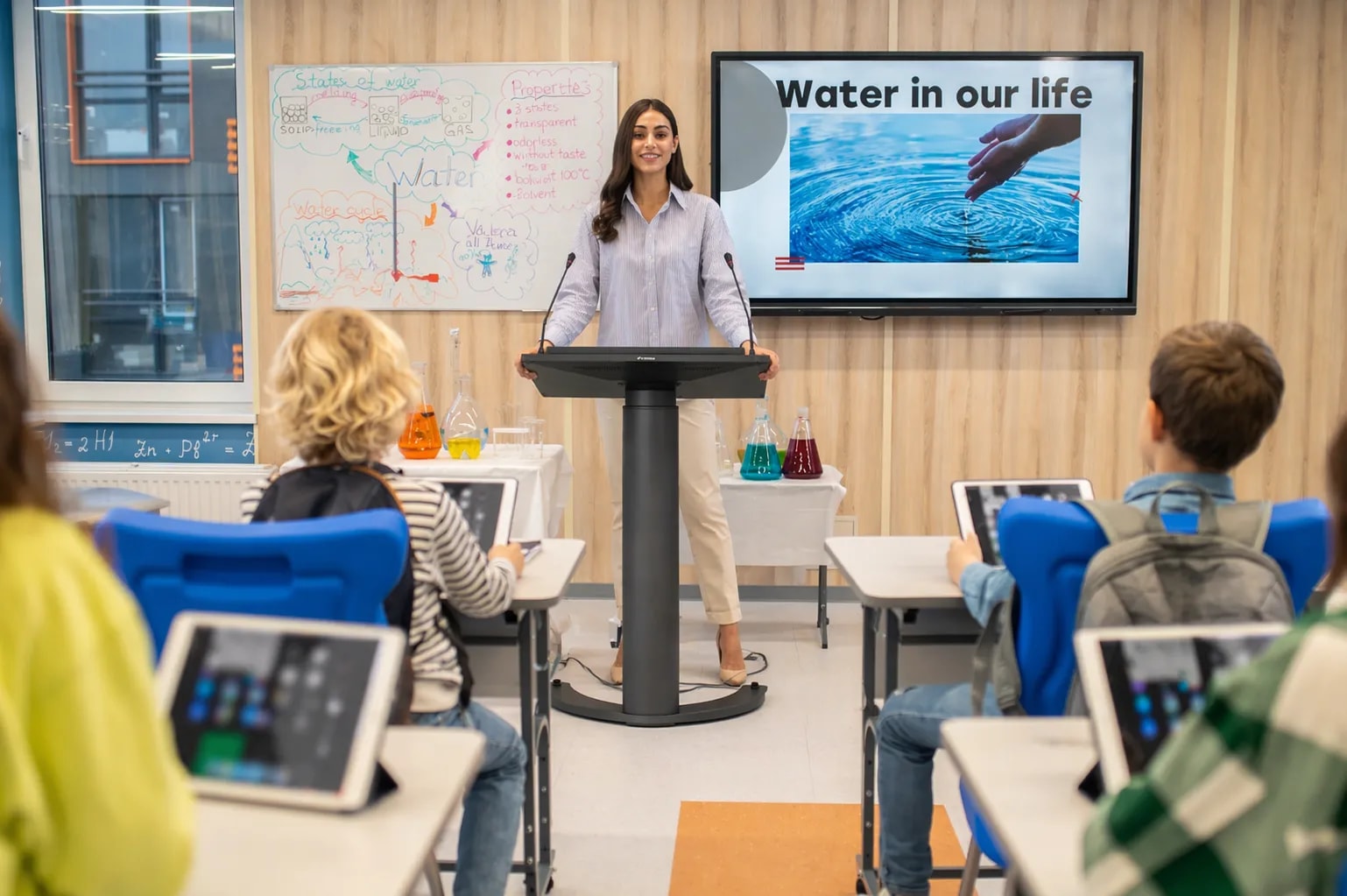
Lecturer teaching from a PeopleLink digital podium with a student in the foreground
Lecture in ProgressLecture Hall
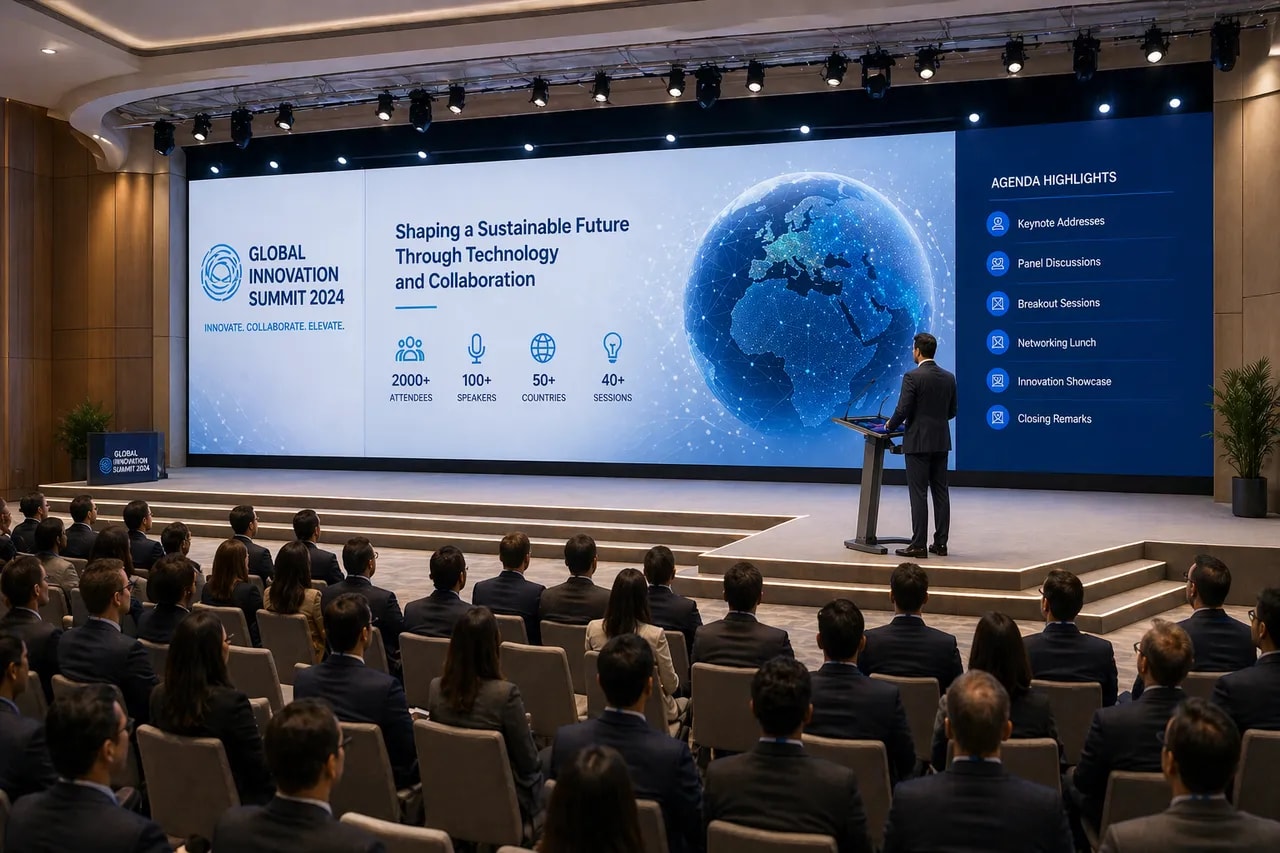
Presenter at a PeopleLink digital podium in front of an interactive display
Digital Podium InstallationClassroom
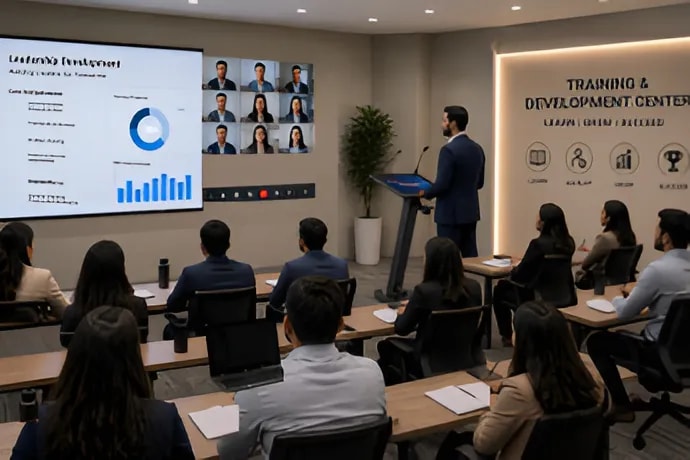
Trainer presenting from a PeopleLink digital podium to a class
Trainer at Digital PodiumTraining Session

Need help choosing the right Interactive Podium for your space?

Whatsapp

Experience the Power of an Interactive Podium in Action

How it works

Key Specifications

Headline specifications from the product Datasheet. Full model-by-model detail is in the PDF.

ItemThis product
LCD Size27"
Backlight TypeE-LED
Resolution3840x2160(pixels)
Brightness350 - 400 cd/m² (Typ)

Technical Specifications

Display
LCD Size27"
Backlight Type (Backlight Type)E-LED
Resolution3840x2160(pixels)
Brightness350 - 400 cd/m² (Typ)
Contrast Ratio1000:1
Response Time14ms
Pixel Pitch (mm)0.1554mm(H)×0.1554mm(V)
Viewing Angle178°(H) / 178°(V)
Color Gamut (X% NTSC)72% (typ.)
View Area (mm)596.736mm×335.664mm
Display Colors1.07B colors (8-bits+FRC)
Electrical
System version (OS)Android 12
Internal cache capacity (RAM)8GB DDR4
Internal storage capacity (ROM)64GB (Standard 64GB)
Voltage(Power Requirements)DC 20V/5A
Maximum power (Power Consumption )≤100W
Standby power (Standby Consumption)≤0.5W
Wifi (Standard)
Main ChipsetRTL8852
Bluetooth2.1+EDR / 4.2 / 5.2
Wi-Fi StandardIEEE 802.11a/b/g/n/ac
Frequency (Operating Frequency)2.4GHz/5GHz
Interface
HDMI IN x1Version: HDMI2.1 Up to 3840×2160@60Hz
Type-C OUT x 1Max Resolution: 3840x2160@60Hz Version DP1.2 Support images, music, video file playback. Upgrade are not supported
USB-A x 2Interface: USB3.0 Type-A
HDMI OUT x 1All signal can be looped-out Max Resolution : 3840x2160 @ 60Hz Version HDMI2.1 (TMDS)
RJ45 x 110M/100M/1000M Base-T self-adaptive ×1
Ethernet InterfaceRJ45
TYPE-C IN x 1(Adapter) DC 20V/5A
Product Size (W×D×H)775.6mm x 526mm x 1118mm
Package Size (W×D×H)887mm × 495mm × 1195mm
Base Elevation AdjustmentNo Support
Base Lifting / Rotation AdjustmentSupport
Environment
Storage humidity10% ~ 90% non-condensing
Working humidity20% ~ 85% non-condensing
Storage temperature-10 ~ +60
Working temperature0 ~ +40
Operating altitude≤5000m
Usage time18 hours x 7 days
Accesories
Stylus1
Adapter1
Gooseneck microphone2
5m HDMI Cable1
1.8m Type-C Cable1
Screen sharing dongle1 (Optional)
Qualified Certificate Label1
Instructions1

Rooms It Serves

Classrooms

Presentations, lecturing and interactive teaching on a 27 inch 4K Touch Display.

Lecture Halls

Android 12 with 8 core processing and 8GB RAM for smooth, responsive sessions.

Conference Halls

HDMI, USB, Type-C and RJ45 connectivity with two Gooseneck Microphones for events.

Where an Interactive Podium Fits in Your Organisation

How organisations deploy an Interactive Podium, and what changes for the teams that use it

Education

Lecture Hall Podium for a University

A university fits its Lecture Halls with the PeopleLink Interactive Podium so a lecturer runs the whole session from one place. The 27 inch 4K UHD Touch Display at 3840x2160 carries diagrams and annotation clearly, and Multi-Touch with Stylus support keeps handwriting precise. Android 12 with 8GB RAM runs teaching apps without a separate PC, while two Gooseneck Microphones carry the lecturer's voice. Wireless Screen Sharing lets a student present from a laptop. Teaching stays in front of the class, not behind the cables.

Enterprise

Training Room Podium for a Bank

A bank's Training Centre places a PeopleLink Interactive Podium at the front of each Training Room. Trainers connect a laptop over HDMI 2.1 or Type-C, or share wirelessly, and loop the same 4K image out to a room display through the HDMI Out. Gigabit RJ45 or dual-band Wi-Fi keeps the podium on the corporate network. Base Lifting and Rotation suit trainers of different heights, and the mobile design lets facilities move one unit between rooms.

Healthcare

Seminar Room Podium for a Private Hospital Group

A private hospital group uses the PeopleLink Interactive Podium in its Seminar Rooms for case reviews and continuing education. The 4K screen holds imaging and slides across 1.07 billion colours, and a 178 degree Viewing Angle keeps detail readable for clinicians seated to the sides. Presenters annotate with the Stylus while the two Gooseneck Microphones carry questions from the floor. USB 3.0 and HDMI ports connect a laptop or a PeopleLink Camera when colleagues join remotely.

Not sure which model fits your Classrooms or Lecture Halls?

Tell us the room size and seating. A PeopleLink specialist will recommend the right model.

Talk to Sales

How It Compares

CapabilityThis productTypical Alternative
Display27” 4K UHD touch screenA standard lectern/podium
ComputeAndroid 12, 8-core, 8GB RAMNo on-board computing
ConnectivityHDMI, USB 3.0, Type-C, RJ45Manual cabling only
AdjustmentBase lifting and rotationFixed lectern

Why PeopleLink

Hardware and Software

Cameras, Audio, Control and Collaboration Platforms, built by one OEM.

Integrates Cleanly

PeopleLink Podiums pair with PeopleLink Cameras, Audio and Room Solutions out of the box.

Deployed Globally

Trusted across Enterprise, Government, Education and Healthcare environments.

Specialist Support

Talk to PeopleLink AV Specialists for sizing, integration and rollout.

Planning a multi-room or campus rollout?

Get one consolidated quote covering Hardware, Software and Installation from One OEM.

Request a Quote

Frequently Asked Questions

Technical Documentation

Interactive Podium - DataSheet

Match an Interactive Podium to your Room

Share your room size, seat count and audio needs. A PeopleLink AV Specialist will confirm the model and configuration.

Request Demo

Loading reCAPTCHA...

WhatsApp Updates

Get PeopleLink AV and Collaboration Updates on WhatsApp

Product Launches, Datasheets, Solution Guides for Meeting Rooms and Classrooms, Event Invitations and Partner Programme news from PeopleLink, a global AV and Unified Communications OEM. For CIOs, IT Heads, AV Consultants, System Integrators and Channel Partners.

  • Video Conferencing Cameras
  • Interactive Flat Panels
  • LED Video Walls
  • Digital Podiums
  • Audio Conferencing
  • Smart Classroom Solutions
  • Partner Programme
  1. 1. Scan or openScan the QR Code with your phone camera, or open visit.peoplelinkvc.com.
  2. 2. Fill the short formTick "Stay in Touch" and PeopleLink updates reach you on WhatsApp.

By ticking "Stay in Touch" on the form you agree to receive WhatsApp and email messages from PeopleLink Unified Communications about Products, Solutions, Events and Partner updates. You can opt out at any time.

Scan to join PeopleLink WhatsApp Updates

visit.peoplelinkvc.com