
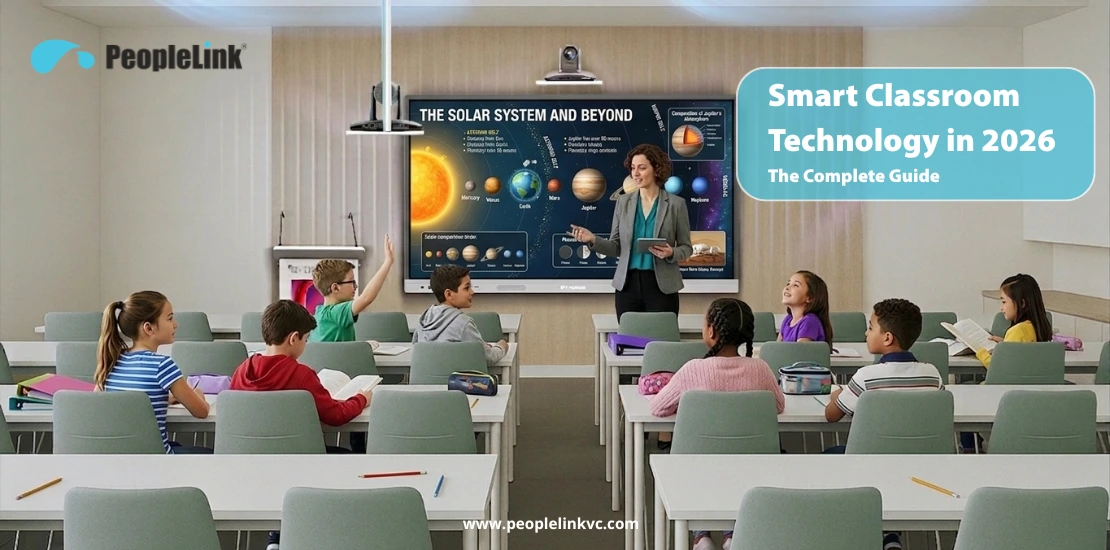
Imagine a teacher walks into a classroom. The projector bulb blew last week. The replacement is “on order.” The whiteboard markers are dry. The laptop won’t connect to the external speaker. The students at the back can’t see the screen.
This isn’t a technology failure. It’s a design failure. The classroom was never built as a system. It was assembled from parts — a projector from one vendor, a whiteboard from another, a speaker from a third, and a laptop that connects to none of them reliably.
The global smart classroom technology market is projected to grow from $5.2 billion in 2025 to $8.3 billion by 2032, at a CAGR of 6.9% OpenPR Smart Classroom Market Report, 2026. That growth isn’t driven by schools chasing trends. It’s driven by education leaders who are tired of managing five vendors to run one classroom.
This guide is for principals, vice-chancellors, IT coordinators, and government education procurement officers who are evaluating smart classroom solutions in 2026 — whether for a single pilot classroom or a multi-room campus deployment.
What Is a Smart Classroom — and What It Isn't
A smart classroom is not a regular classroom with a screen bolted to the wall. It is a unified ecosystem where hardware and software are natively integrated.A true smart classroom integrates display, audio, computing, content sharing, video conferencing, and room control into one system. The teacher operates everything from a single interface; the IT team manages every room from a central dashboard; and the institution maintains one vendor relationship.
A smart classroom replaces
| Old Setup | Smart Classroom Equivalent |
|---|---|
| Projector + screen | Interactive touch panel (4K, 55″–98″) |
| Whiteboard + markers | Built-in digital whiteboard with annotation |
| Desktop computer | Android OS built into the panel + optional Windows OPS |
| External speakers | Integrated audio or podium speakers |
| Separate document camera | Integrated document visualiser |
| Multiple remotes and cables | Single-touch room control |
What it isn’t:
- It is not just a big TV on the wall.
- It is not a projector with a USB stick.
- It is not a table propped up on a desk.
- It is not “smart” if the teacher still needs IT support to start a lesson.
Why 2026 is the Year Smart Classrooms Go Mainstream
Three major forces are converging right now to make integrated systems the global standard.1. Policy Is Driving Adoption — NEP 2020 and Global EdTech Mandates
India’s National Education Policy (NEP) 2020 explicitly calls for technology-enabled learning across all levels of education. State governments are actively funding smart classroom deployments through initiatives like PM eVidya, DIKSHA, and state-level digital education missions.
The result: state education bodies across 10+ Indian states are procuring smart classroom technology — not as a luxury, but as a compliance requirement.
Globally, Africa’s donor-funded education programs are deploying smart classrooms at scale. The Middle East — particularly Saudi Arabia (Vision 2030) and the UAE— is investing heavily in digital education infrastructure as part of national transformation agendas.
2. The Tech Maturity: The Death of the Projector
The projector-vs-interactive-panel debate is over. In 2026, the data is clear:
| Factor | Projector | Interactive Touch Panel |
|---|---|---|
| Image Quality | Degrades over time (bulb dimming) | 4K UHD — consistent for 50,000+ hours |
| Visibility | Washed out in daylight | Bright, readable in any lighting |
| Interactivity | None (one-way display) | 20-point multi-touch, annotation, screen capture |
| Maintenance | Bulb replacement every 2,000–4,000 hours | Zero bulb, zero filter — near-zero maintenance |
| Total Cost of Ownership (5 years) | Higher (bulbs + filters + repairs) | Lower — no consumables, longer lifespan |
| Teacher Training | Moderate (separate devices, cables) | Minimal — touch interface, built-in apps |
The bottom line: A projector displays information. An interactive panel enables learning. Schools still buying projectors in 2026 are paying more for less.
Stop wasting lesson time on cables and connections. See how our one-touch system lets you start teaching in seconds.
Book a Live Demo
3. The Buyer Has Changed — Principals Want Systems, Not Products
Five years ago, a school principal asked: “Which projector should I buy?”
Today, they ask: “Who can equip 50 classrooms, train my teachers, and support us for 3 years — from one contract?”
This shift from product buying to system buying is the single biggest change in education AV procurement. Principals and vice-chancellors don’t want to manage multiple vendors. They want one manufacturer who owns the entire outcome — from the display on the wall to the podium at the front to the camera that connects remote students.
What a Complete Smart Classroom System Looks Like
A fully equipped smart classroom setup has four layers. Each layer must work together — not as separate products, but as an integrated system.Layer 1: Display — Interactive Touch Panel
The centerpiece of the classroom. Replaces projector, whiteboard, and computer in one device.
What to look for:
– 4K UHD resolution — readable from the back of a 60-seat classroom
– 20-point multi-touch — multiple students can interact simultaneously
– Built-in Android OS with optional Windows OPS module — runs apps, browsers, and teaching software without an external PC
– Platform compatibility — works with Microsoft Team, Webex, InMeet and Google Meet for hybrid and remote learning
– Sizes from 55″ to 98″ — matched to classroom size and student count
– Wake on LAN and auto turn-off — IT management at scale
PeopleLink’s Interactive Display R Series covers 55″ to 98″+ with 4K UHD, Android built-in, 4GB+32GB configuration, and 20-point multi-touch. One interface across every classroom size — from tutorial rooms to lecture halls.
Layer 2: Presentation — Digital Podium
The teacher’s command centre. Controls the display, audio, document camera, video conferencing, and room lighting from one station.
What to look for:
– Integrated touch screen (21.5″ recommended) for controlling all room devices
– Built-in document visualiser for textbooks, worksheets, and physical documents
– Multiple microphone options — gooseneck for lectures, wireless lapel for mobility, handheld for Q&A
– Amplification — 100W minimum for lecture halls seating 50–300
– Room control integration — one-touch control of projectors, displays, and lights
PeopleLink’s ePodium is the flagship digital podium — metallic body, 21.5″ touch screen, document visualiser tray, three microphone types, 100W amplifier with speaker pair, and integrated InstaController for full room automation. One podium runs the entire room.
Layer 3: Camera and Audio — Video Conferencing for Hybrid Learning
Hybrid learning is here to stay. Remote students must see the teacher, the whiteboard, and the classroom — clearly.
What to look for:
– PTZ camera with AI auto-framing — tracks the speaker automatically
– Wide-angle lens (72.5°–80°) to capture the full classroom
– Echo cancellation and noise suppression — essential for classrooms with ambient noise
– USB plug-and-play for simple integration with the interactive panel
PeopleLink’s Elite 4K 12x Camera delivers 4K UHD with 80° wide-angle, 12x optical zoom, and AI auto-framing. It tracks the teacher as they move — so remote students always see who’s speaking, without manual camera adjustments.
For audio, the Cascade 4C+ wireless conferencing system covers up to 100 square meters with four cascading omni-directional microphones — no cables, 10-hour battery, and 360° voice pickup from every corner of the classroom.
Layer 4: Control — Room Automation
The layer most schools forget — and the one that determines whether teachers actually use the technology.
What to look for:
– One-touch room control — start a lesson by pressing a single button
– Control of all room devices from one panel — display, camera, lights, audio, blinds
– Network-based remote management — IT manages every room from one dashboard
– Customisable per room type — a lecture hall control layout differs from a tutorial room
PeopleLink’s InstaController brings projectors, cameras, lights, and displays under single-touch control. It integrates directly into the ePodium or works as a standalone panel. Five RS-232 ports, two hybrid IR ports, 10 relay controls, and RJ-45 for network management.
The Single-OEM Advantage for Education
Here is the question every vice-chancellor should ask their AV vendor:“If the display stops working mid-lecture, who do I call?”
If the answer involves calling a display vendor, a camera vendor, and a software provider, you have identified the problem before it happens. Multi-vendor setups lead to “finger-pointing” when things go wrong.
The Alternative: The Single-OEM (Original Equipment Manufacturer) Model.
PeopleLink is one of the few global entities that manufactures the entire stack.
- One Procurement: One purchase order, not five.
- One Support Line: If there’s an issue, one team takes responsibility.
- One Training Program: Teachers learn one interface that remains consistent across every room on campus.
Don’t get stuck with hardware that doesn’t talk to each other. See how our unified technology stack works together to create a seamless learning environment.
See Our Full Range of Education Tech →
Deploying at Scale: From Pilot to 500 Classrooms
Scaling smart classrooms is where most deployments fail — not because the technology doesn’t work, but because the rollout wasn’t planned as a system.Phase 1: Pilot (1–5 classrooms)
– Deploy in high-visibility classrooms (principal’s demo room, main lecture hall)
– Train 5–10 teachers as “technology champions” — they become peer trainers
– Measure: teacher adoption rate, student engagement, IT support tickets
– Duration: 4–8 weeks
Phase 2: Expand (5–50 classrooms)
– Standardise the hardware configuration — same panel size, same podium, same camera in every room
– Deploy IT management dashboard — monitor all rooms centrally
– Measure: uptime, teacher satisfaction, IT workload per room
– Duration: 3–6 months
Phase 3: Campus-Wide (50–500+ classrooms)
– Roll out standardised rooms across buildings and campuses
– Implement network-based room control and remote diagnostics
– Measure: total cost of ownership vs. previous setup, student outcomes, support SLA adherence
– Duration: 6–18 months
Proof at scale: DMI-St. Eugene University in Africa deployed PeopleLink smart classroom technology across 120 classrooms. One OEM. One support line. Consistent experience in every room. That’s what campus-wide deployment looks like when the hardware, software, and support come from a single manufacturer.
The ROI Case: What Smart Classrooms Actually Save
| Cost Category | Traditional Classroom (5-Year) | Smart Classroom (5-Year) |
|---|---|---|
| Projector bulbs + filters | 8–12 replacements per room | Zero — no consumables |
| IT support tickets per room | 15–25 per year (cables, connectivity, projector issues) | 3–5 per year (integrated system, fewer failure points) |
| Teacher training hours | Ongoing — new device each year | One-time — consistent interface |
| Vendor management overhead | 3–5 vendors per classroom | 1 vendor — single OEM |
| Hardware refresh cycle | 3–4 years (projector lifespan) | 7–10 years (panel lifespan) |
The result: Up to 50% lower total cost of ownership over five years compared to traditional multi-vendor AV setups. The savings come not from cheaper hardware — but from eliminating consumables, reducing IT overhead, and extending the hardware lifecycle.
How to Evaluate a Smart Classroom Vendor — The 10-Question Checklist
Before signing any contract, ask these questions:
- Do you manufacture the hardware in-house or just resell?
- Can you provide the display, podium, camera, and audio from one brand?
- What is the 5-year TCO including consumables?
- Is the system compatible with Teams/Zoom/Webex natively?
- What ISO certifications do you hold (9001, 14001, 27001)?
- Can you provide remote monitoring for every room?
- Is there a single warranty for the full system?
- Do you offer teacher training as part of the deployment?
- Are you listed on government platforms (GeM, EdCIL)?
- Can I speak to a reference who has deployed 50+ rooms?
Why PeopleLink for Smart Classrooms
PeopleLink is a global collaboration technology OEM — designing, manufacturing, and deploying smart classroom solutions from a single source.– Complete smart classroom stack — interactive panels, digital podiums, PTZ cameras, audio systems, room control, and InstaVC video collaboration software — all from one manufacturer
– Deployed in 30+ countries — from premier central universities in India to 120 classrooms across Africa
– ISO 9001:2015, ISO 14001:2015, ISO 27001:2013 certified — independently audited manufacturing
– GeM listed, NIC NKN compatible, EdCIL Rate Contract — compliant with Indian government procurement requirements
– Up to 50% lower TCO vs. global AV brands — no per-seat licensing, no proprietary lock-in
– Powering smart classrooms in premier central universities —and deployed across state educational bodies in 10+ Indian states.One OEM. Complete Stack. Global Scale.